
helloword - http_controller.rb
This post will cover simple scenario regarding deployment of web firewall using Azure App Gateway + WAF. There will be instructions how to create required services and configure them. It will describe real world case in terms of security issues. It should be noted though that those instructions will serve as proof of concept concerning security implications rather than comprehensive guide about configuration options and their impact.
Protecting the app:
There are multiple ways and approaches to security. One of them is to use some solutions like WAF for protection. Let's check how this approach works by creating simple app and protect it using App Gateway + WAF.
Configuration requirements
Azure App Service
To create simple web application, Azure App Service will be used. It is a hosting service which can be used to serve applications written in many different technologies. For the purpose of this post, Node environment will be used.
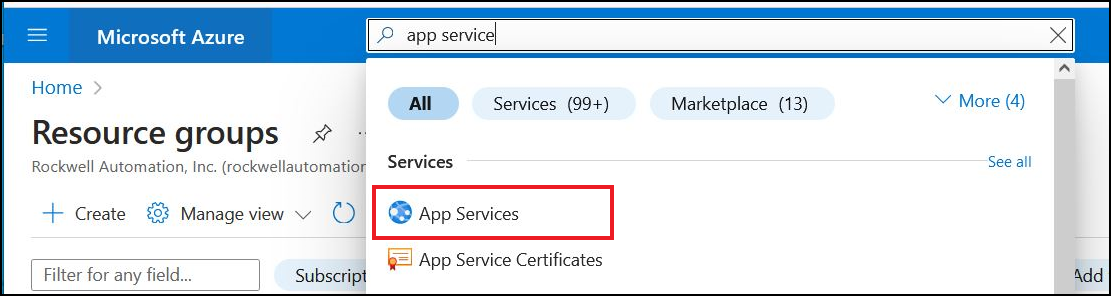
1. Search for App Service
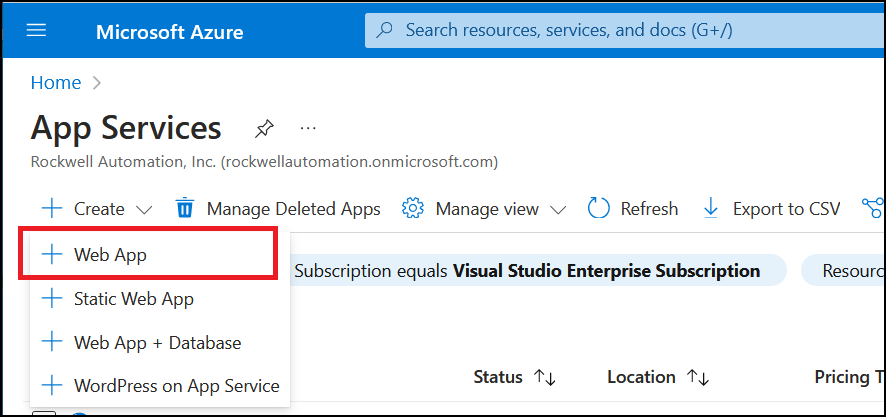
2. Select Web App
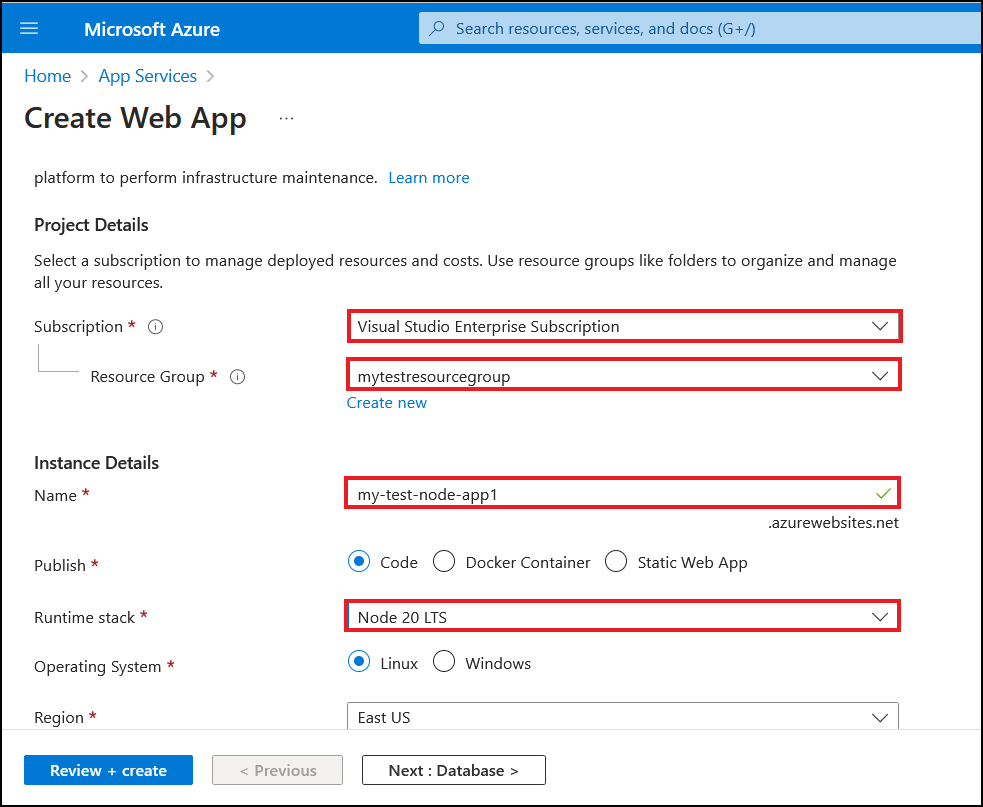
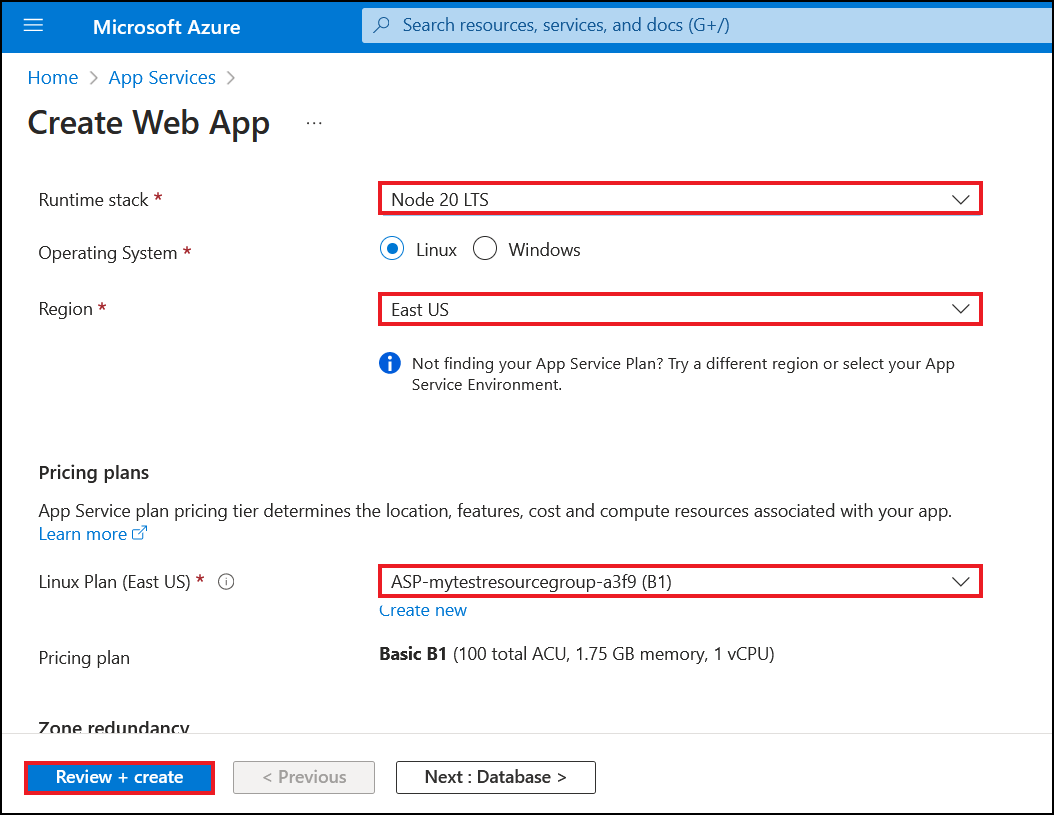
3. Select fields
Node.js application
1. Create application using Express Generator
2. Go to application's directory + install NPM packages
3. Start the app
4. Verify by navigating to http://localhost:3000
Modify this generated code slightly to showcase security impact. Change following file: routes/users.js to introduce Cross-Site Scripting issue.
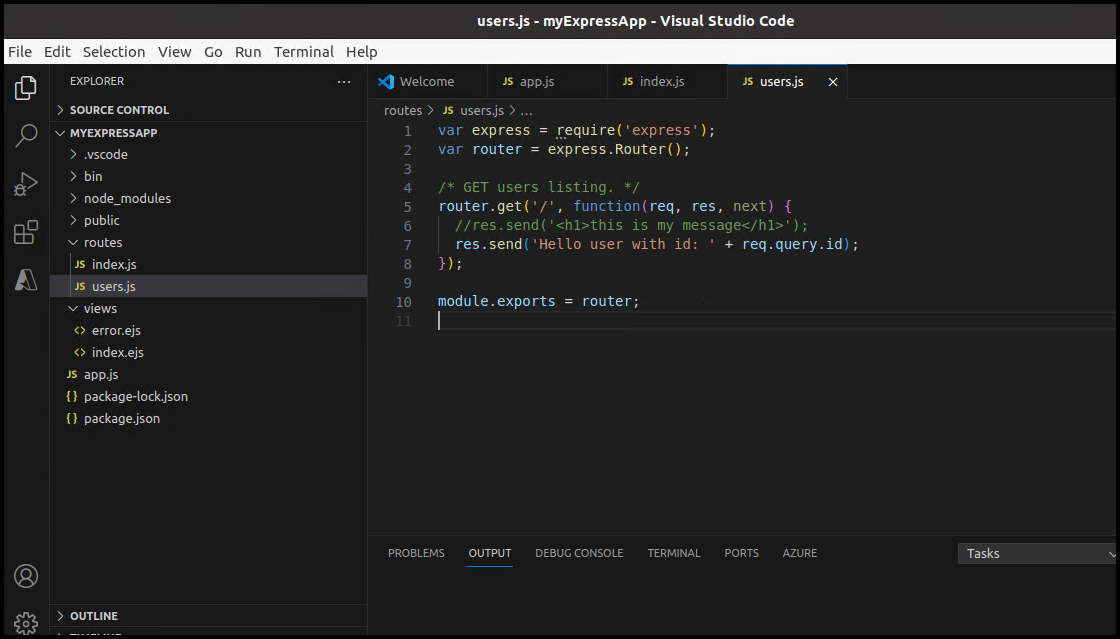
Next it's required to deploy the app to Azure App Service.
Requirements
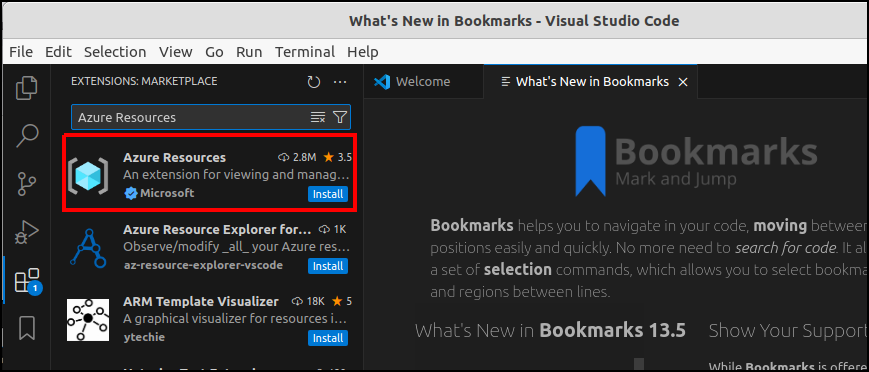
Install Azure Resources Extension
1. Open Visual Studio Code -> Extensions
2. Type Azure Resources in search field and select Install
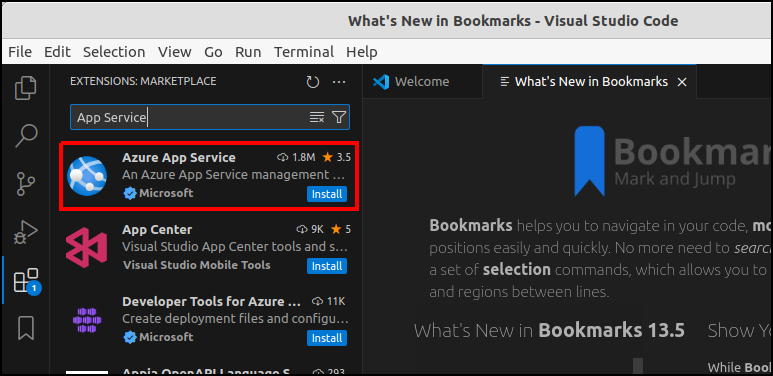
Install Azure App Service Extension
1. Open Visual Studio Code -> Extensions
2. Type App Service in search field and select Install
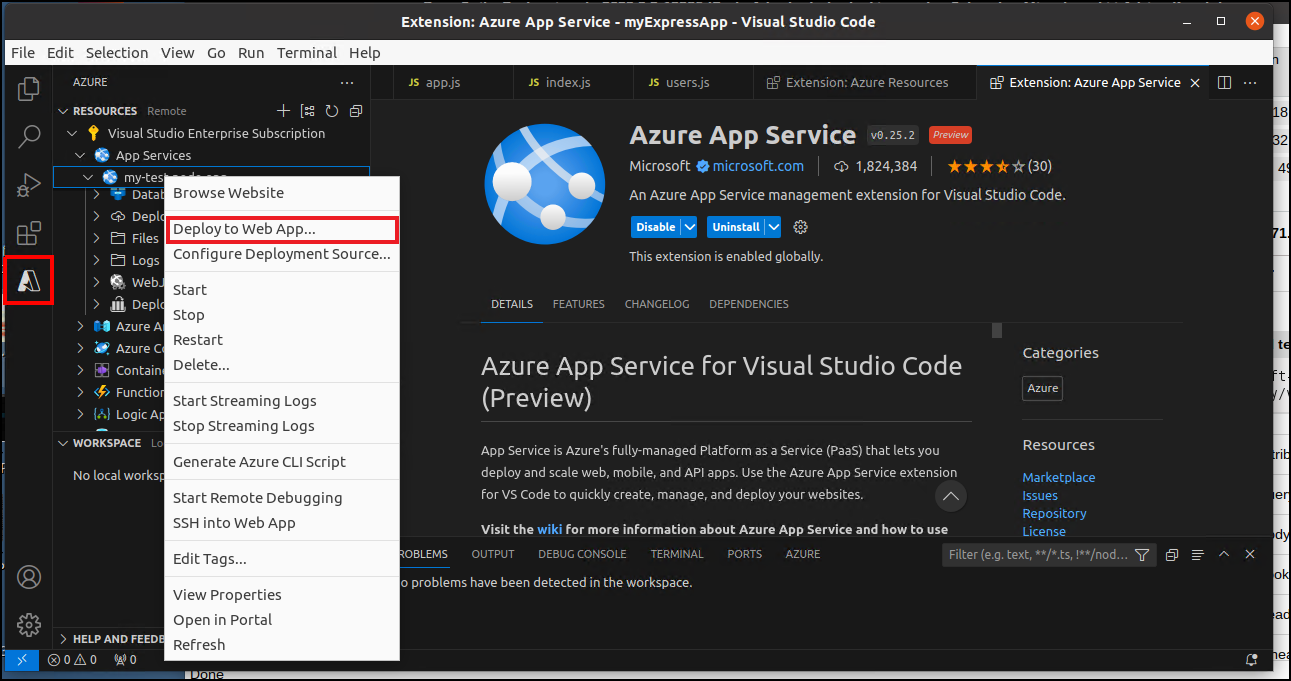
Deploy Node.js application to App Service
1. Open Azure Resources Tab
2. Choose App Service and select previously created name. In my case its called: my-test-node-app
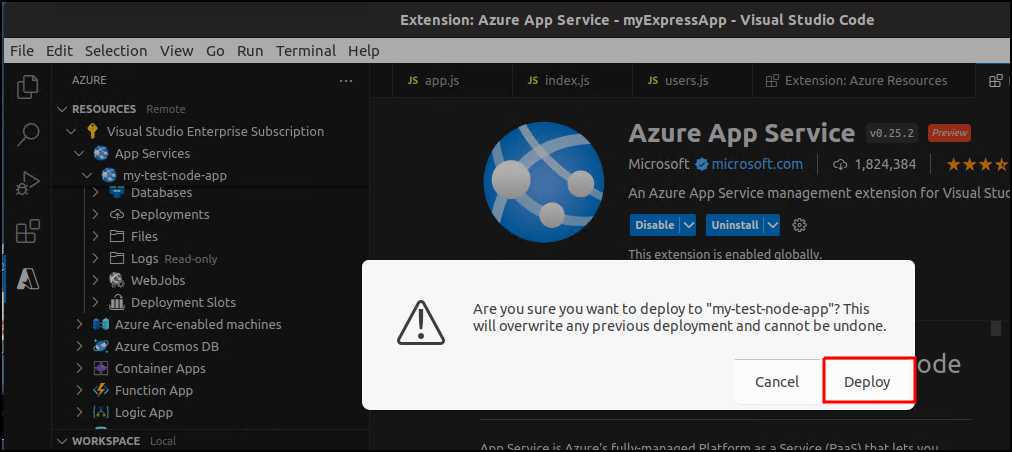
3. Right click on the name and select Deploy to Web App
4. Confirm Deployment by clicking Deploy
App Gateway + WAF
1. Search for App Gateway
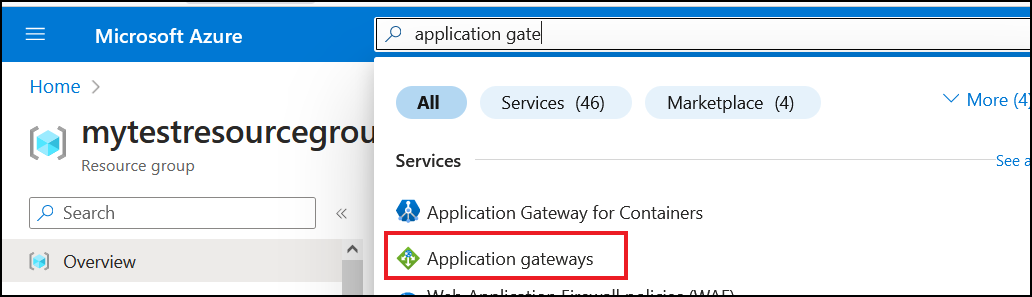
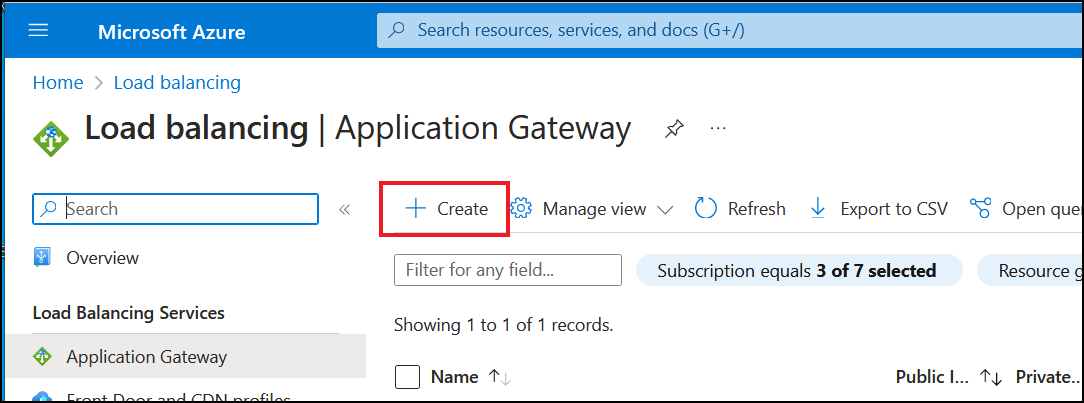
2. Select Create button
3. Select fields
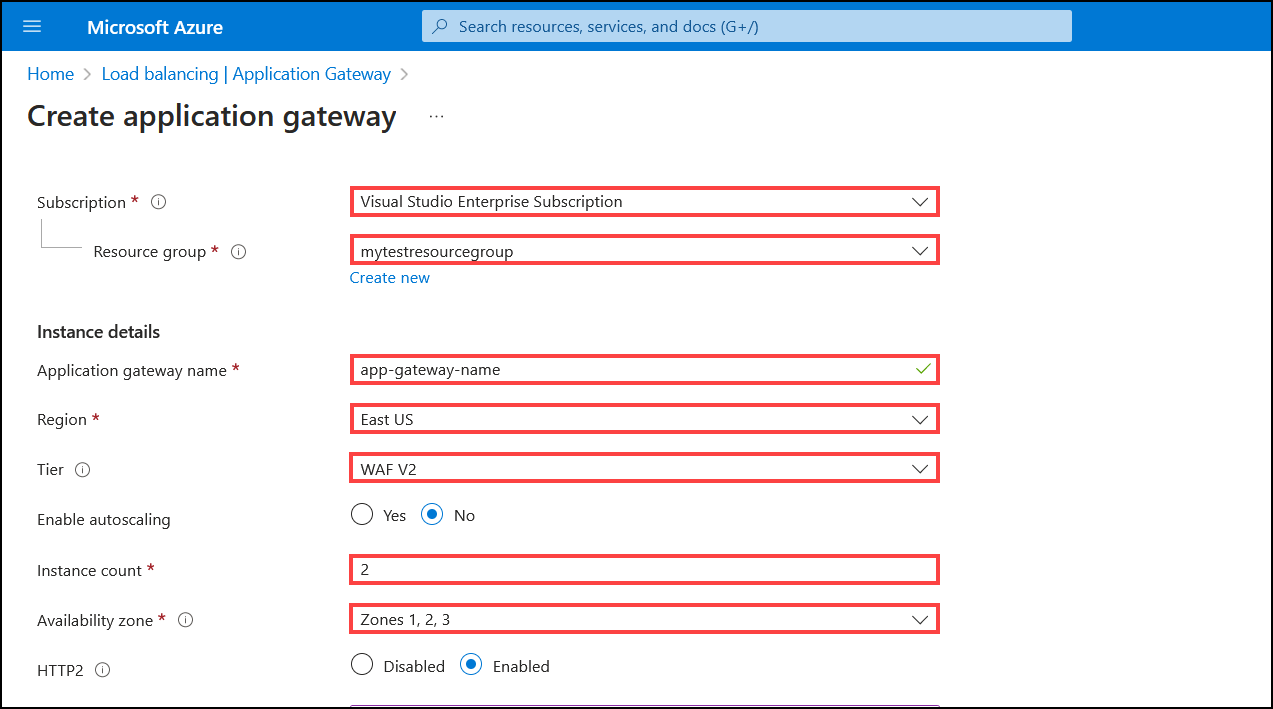
Create WAF Policy
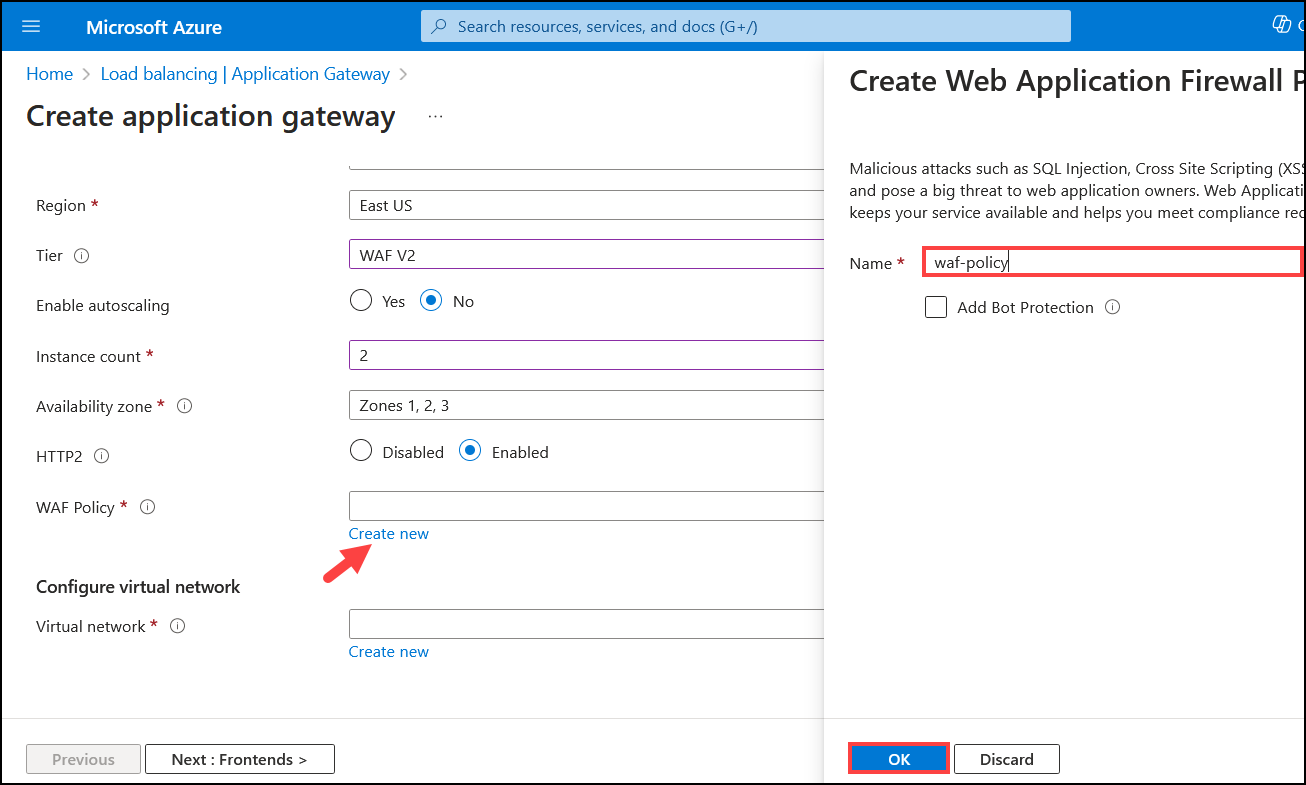
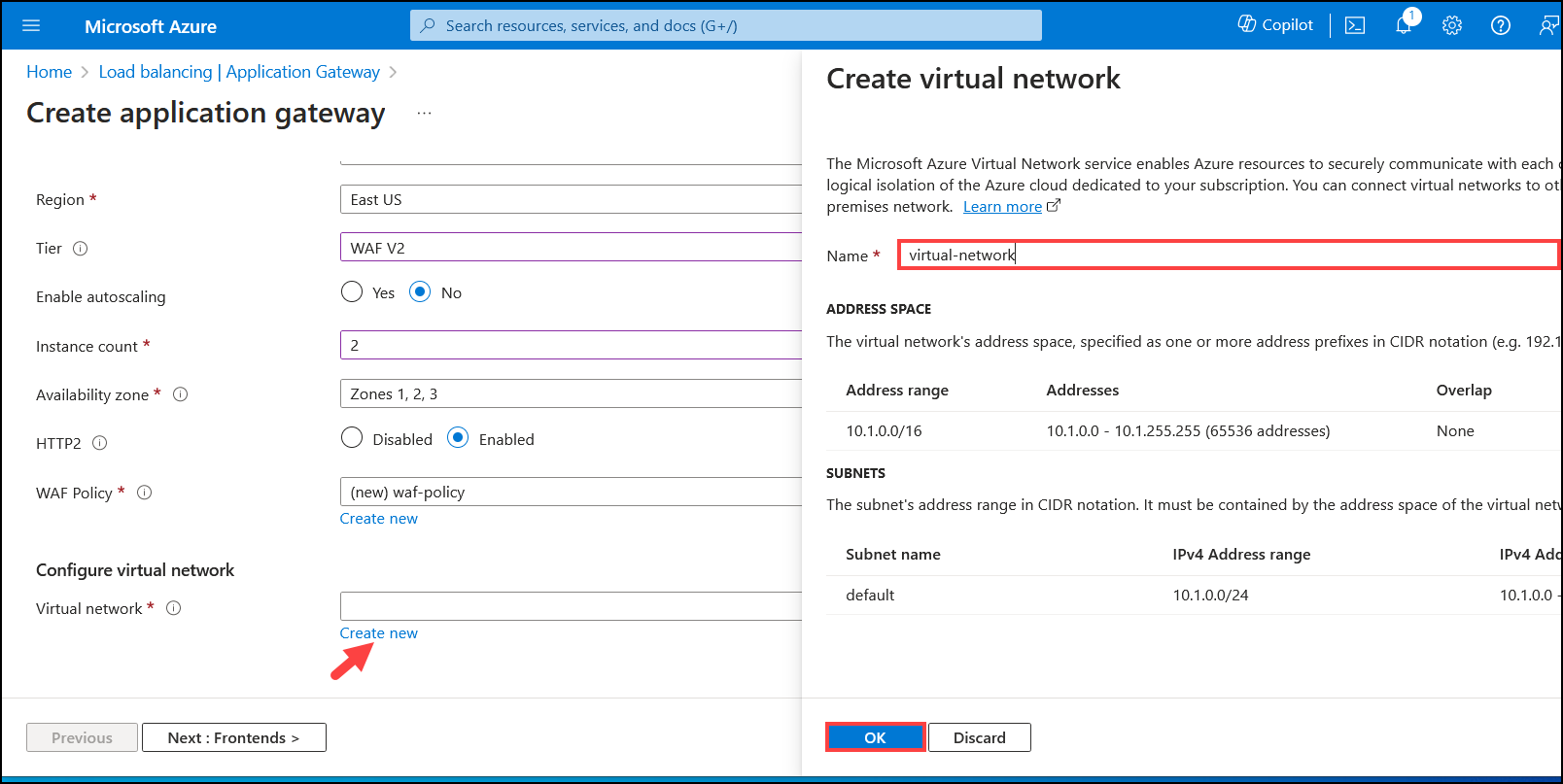
Create Virtual network
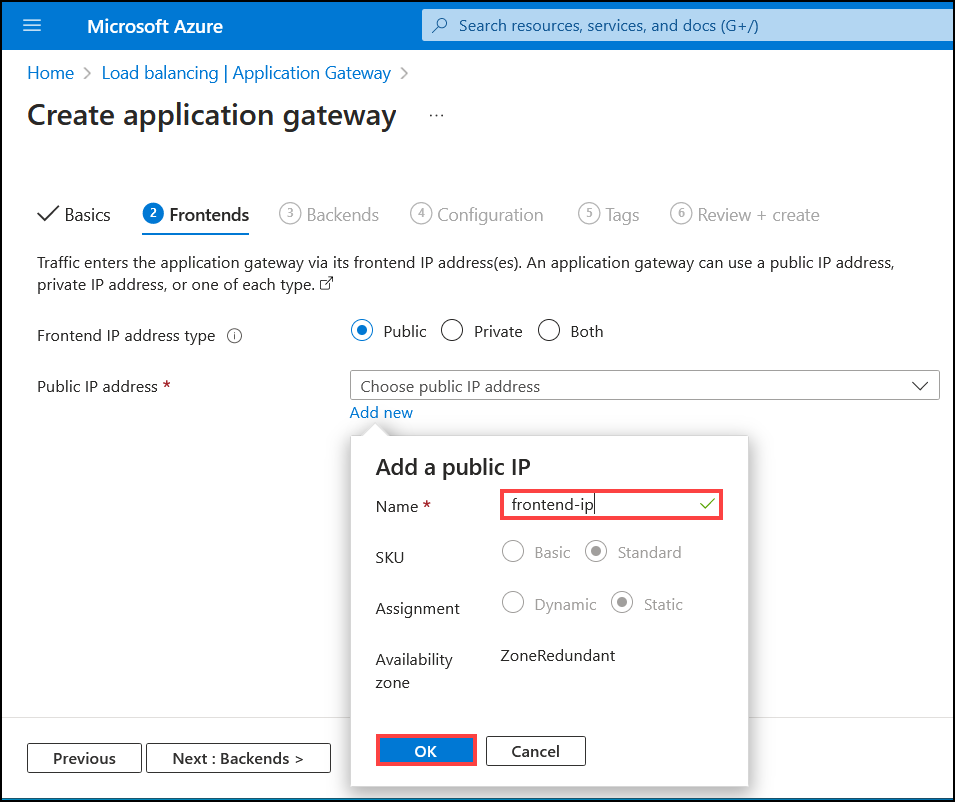
Add a public IP - application gateway will be exposed to internet but it's ok for the purpose of this POC
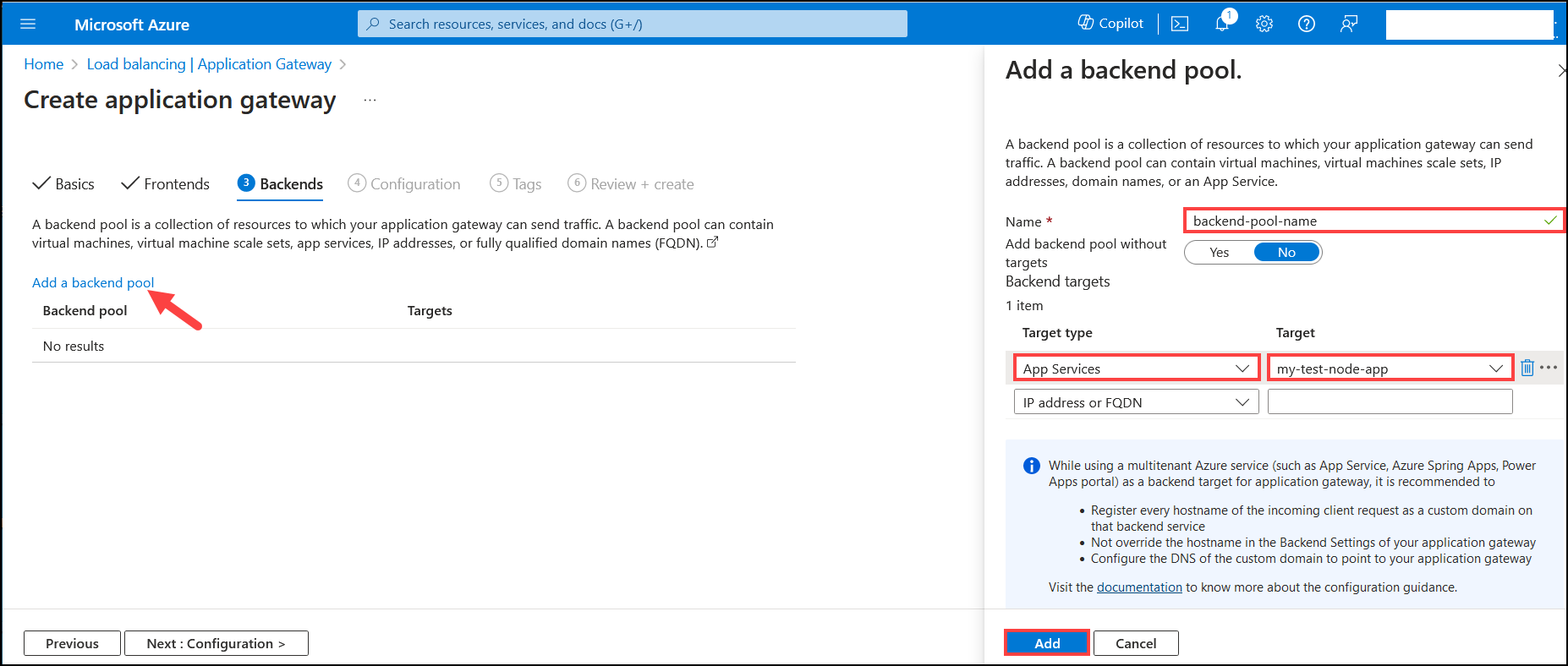
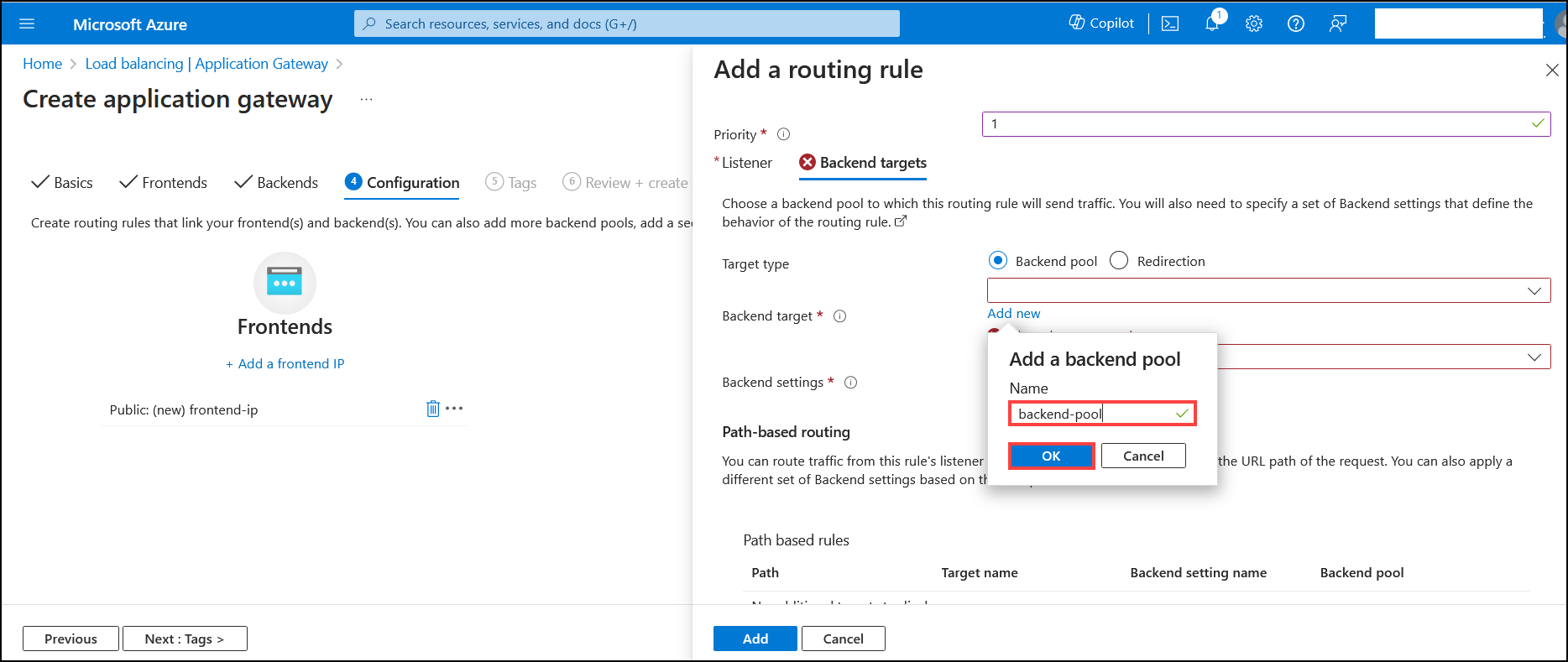
Add a backend pool - resources to which application gateway send traffic
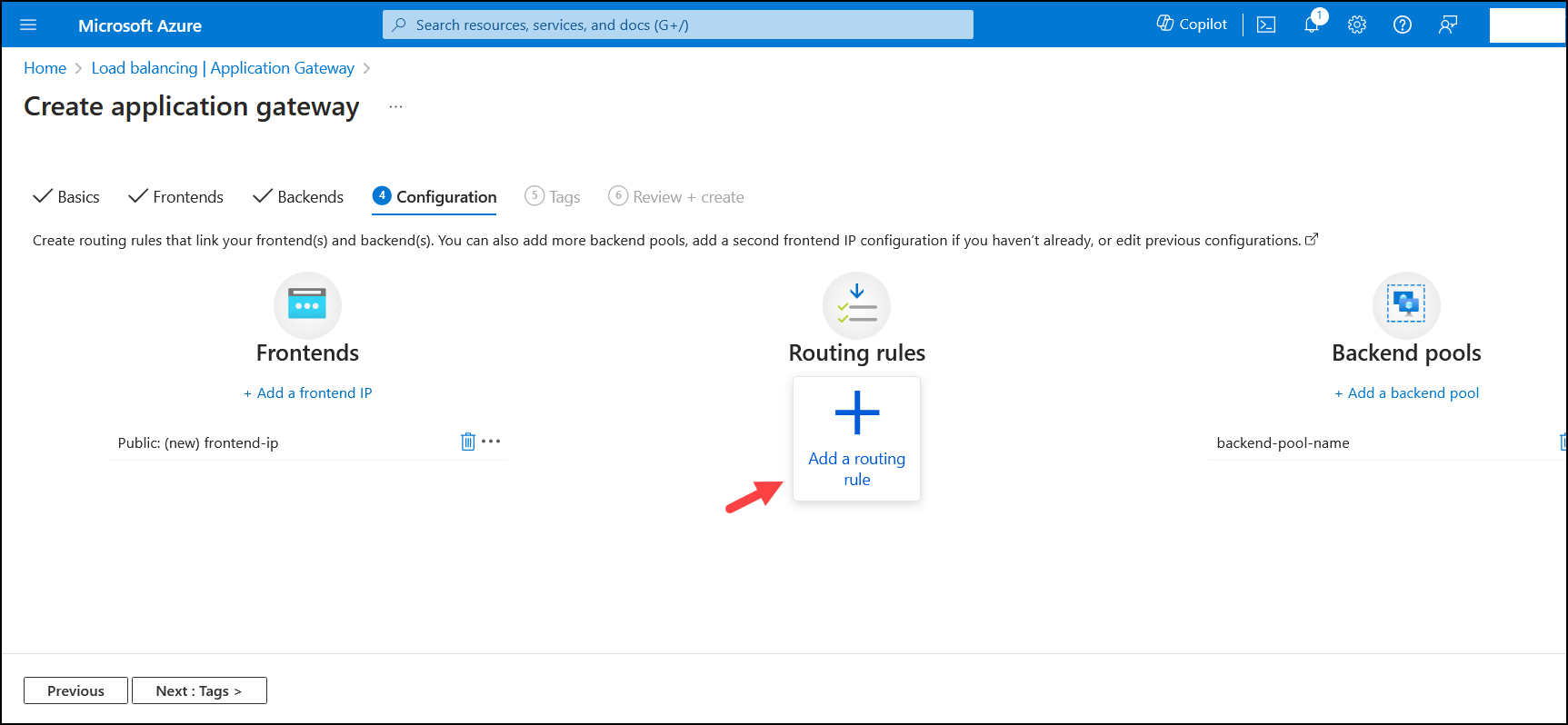
Add a routing rule
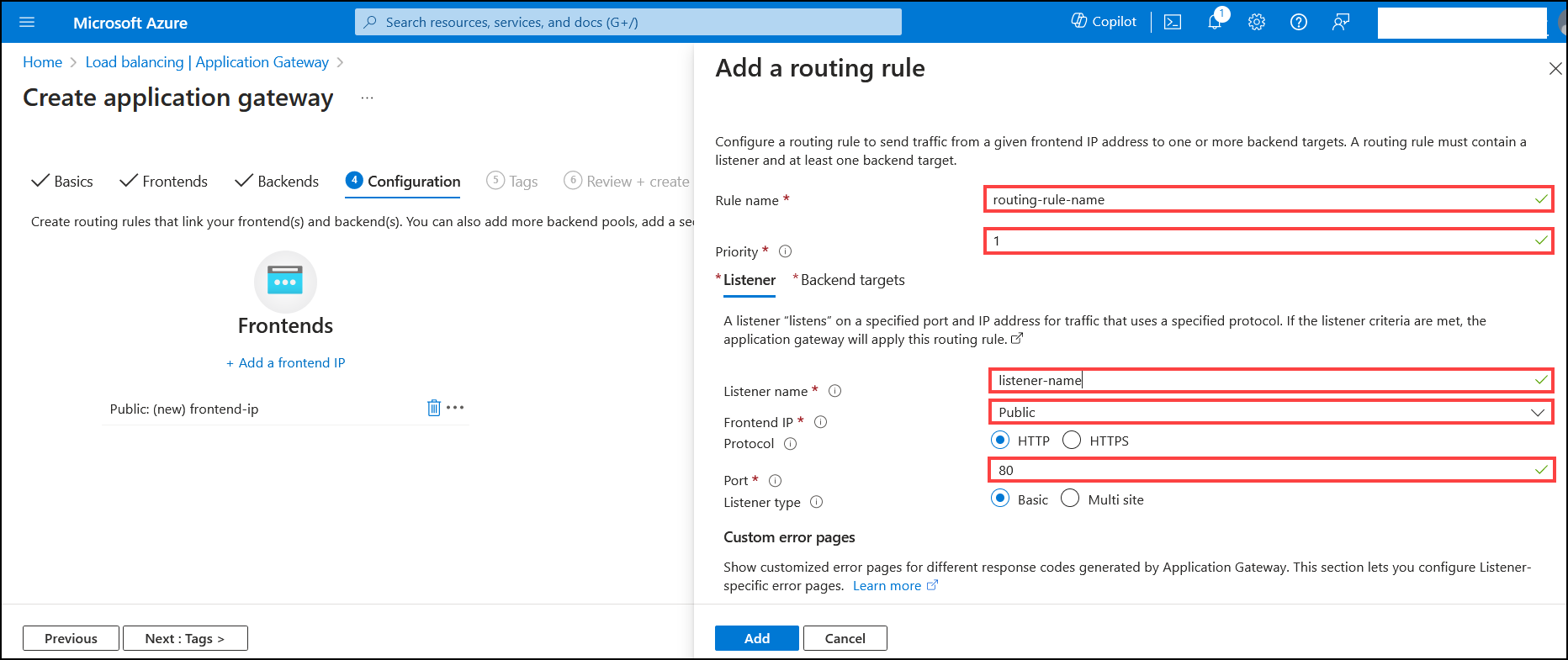
Select required fields.
In this case application gateway will listen on insecure http port 80. In production environment it should be configured with https instead
Select backend pool
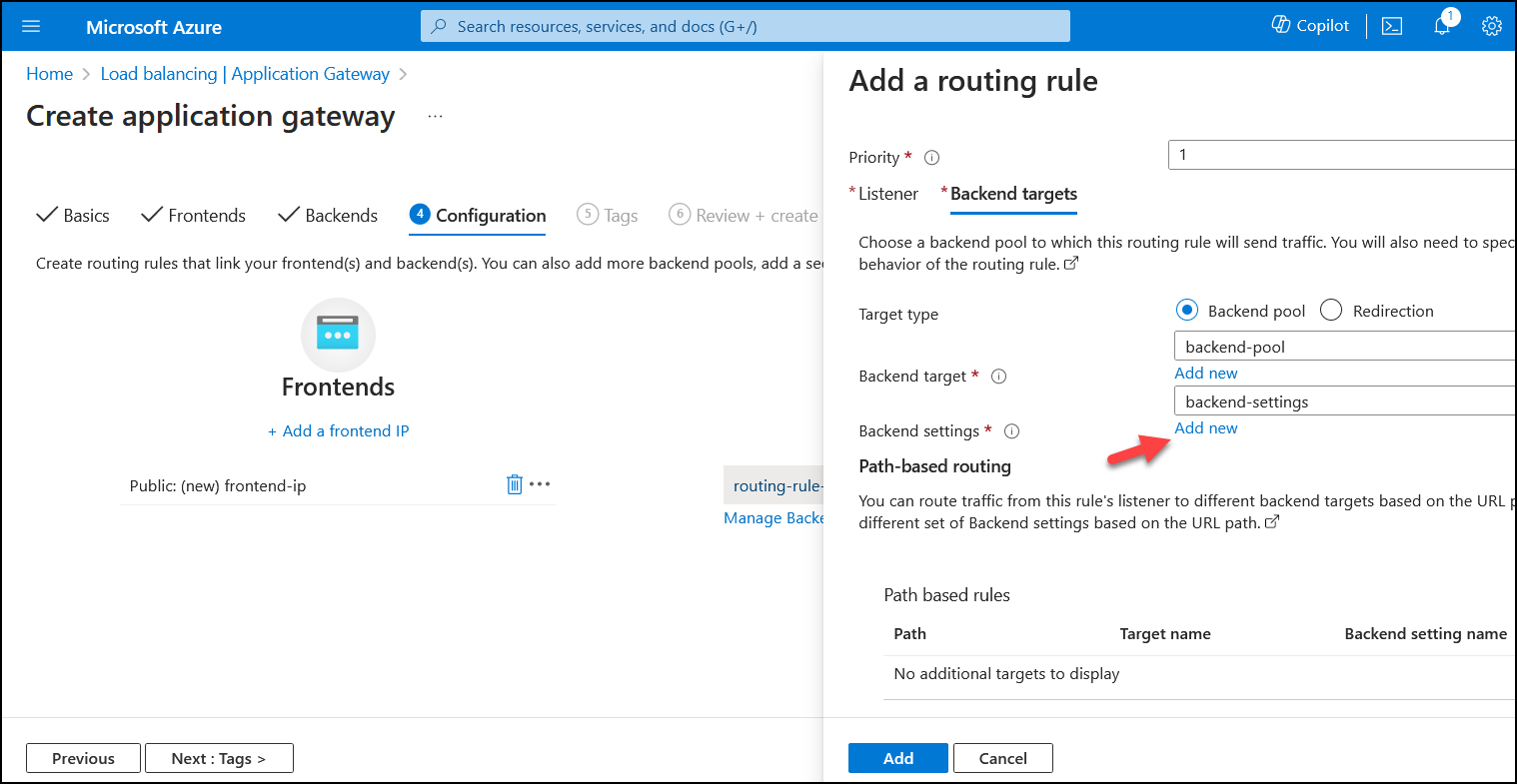
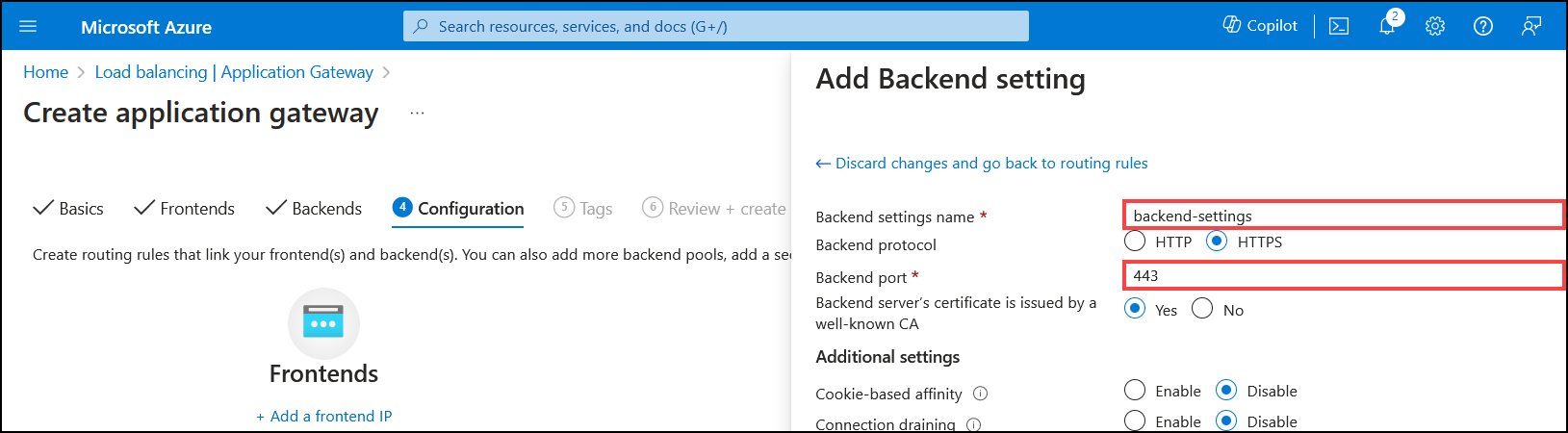
Next its required to add backend settings. They contain information about target backend like for example port on which it is listening. Backend is Node.js application deployed on App Services
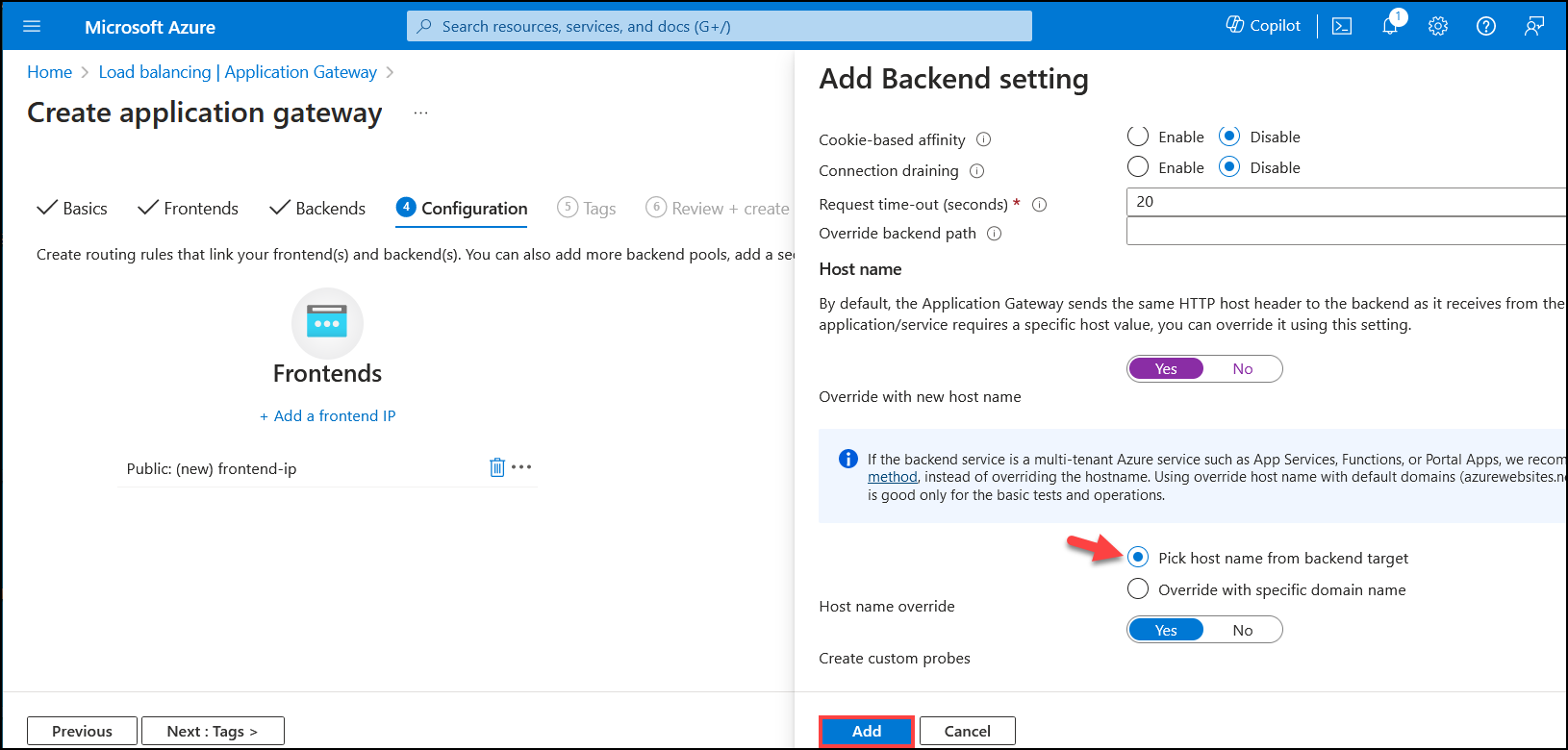
It's also important to select correct toggle regarding host name for backend target. If app gateway will send incorrect Host header to the backend- in this case its App Services backend, then application will not be served and error will be returned instead. Thus toggle Pick host name from backend target is selected
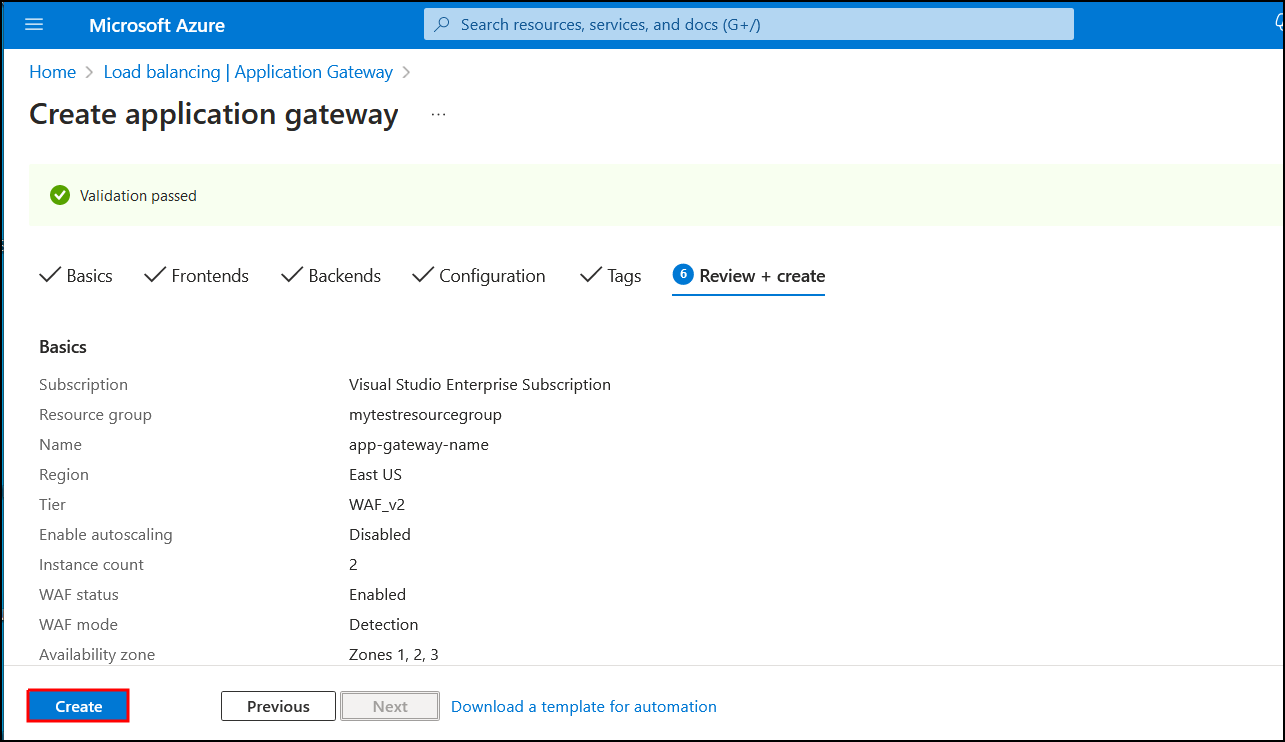
Click Create in last step
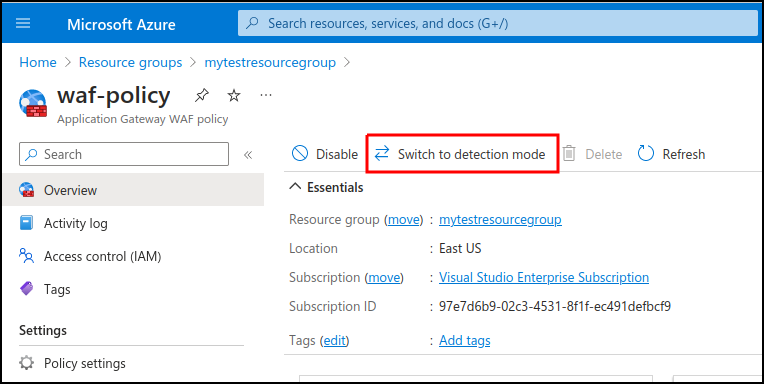
If WAF mode is set up in Detection mode then It's required to change that to Prevention mode. Mode can be switched by navigating to the waf-policy that was prevoiusly created and opening Overview plane
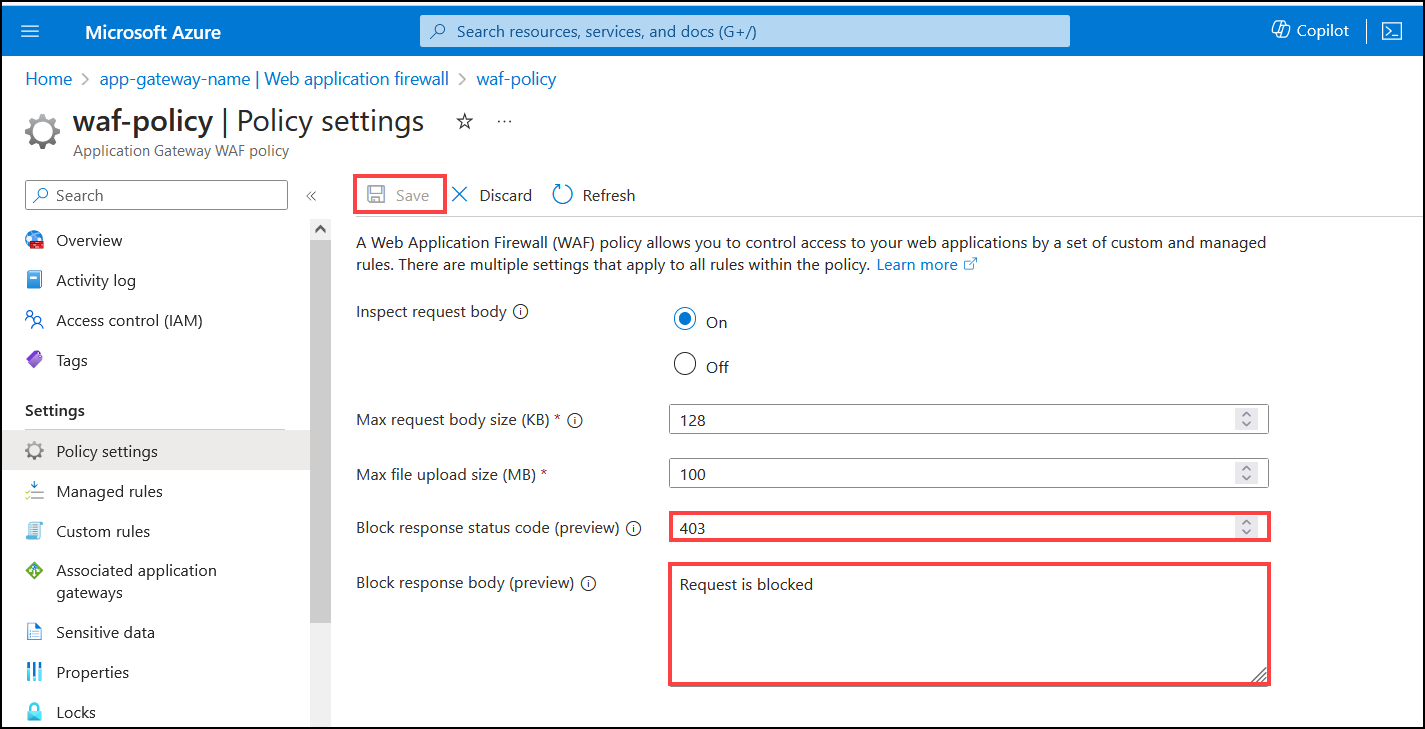
If custom response is needed it can be done by opening waf-policy resource that was created and selecting Policy settings
Testing
Application is deployed to app services, app gateway is configured and custom error messages are set up in WAF. Let's check if it work's. For that it's needed to send request to application gateway which will forward messages to backend and send responses back to the user.
Request is sent to App gateway public ip
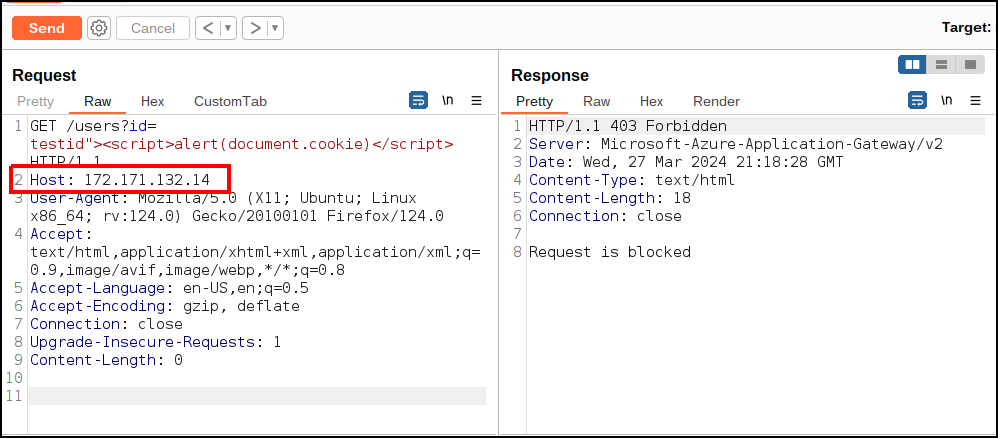
Application gateway detected that malicious request was sent containing testid"><script>alert(document.cookie)</script> and blocked this request which means it was not delivered to the target destination. It's great! Even though there is a XSS vulnerability in our application, app gateway can prevent exploitaition or at least makes it harder because in order to exploit this, attacker would have to first bypass the app gateway detection engine. We can now go for a walk and live happy life knowing that our Node.js application is as secure as Microsoft itself!
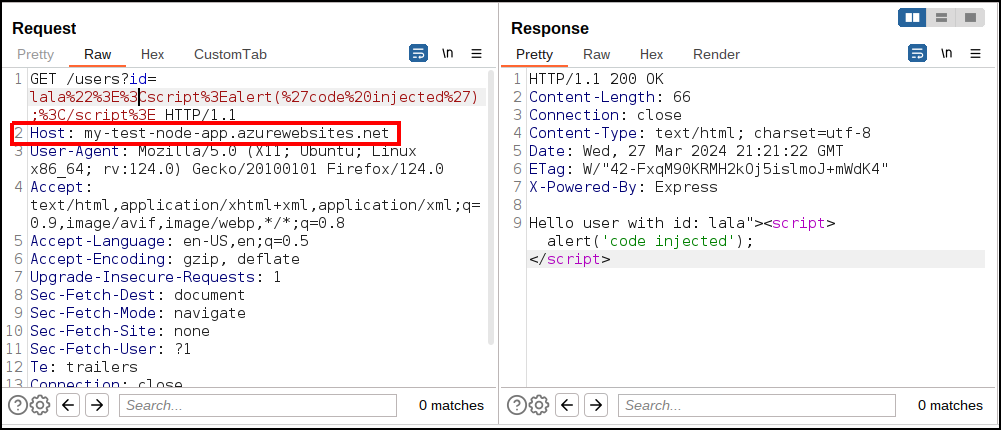
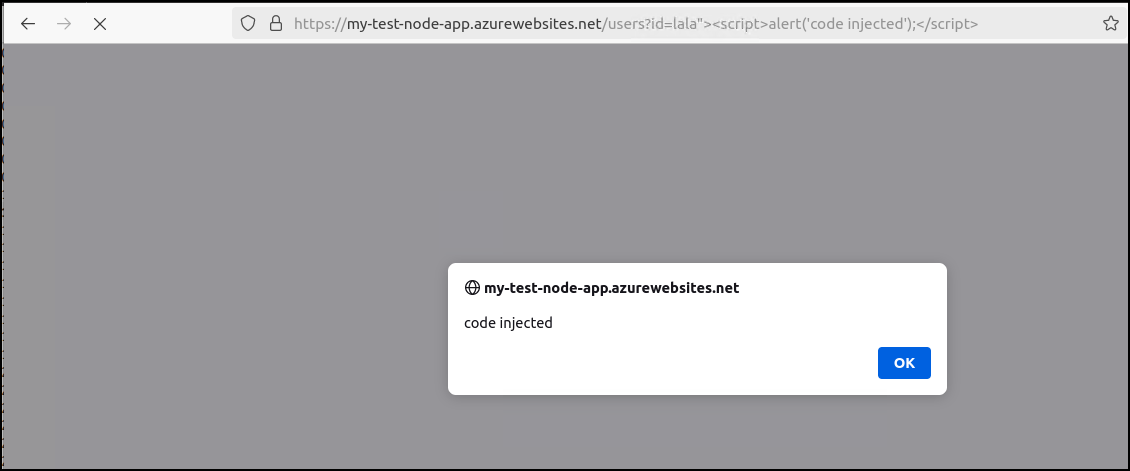
Except its not if we left it as it is which is exactly the root cause that happened in real life. It's true that app gateway is blocking malicious requests. But along our way of protecting Node.js application there was a very simple trap. App services host is still exposed. If attacker called app service directly, there won't be any middleman inspecting traffic and blocking suspicious requests.
Direct access to the app
Summary
It was revealed that making assumption that application will only be called by reverse proxy can be dangerous. Another important factor is about the approach toward security revealed by this case. It's good to have additional security solutions like WAF. But they should be serving as additional protection. It should never be used as a replacement to secure coding practicies.
Whats next?
Next post will be about fixing this simple configuration issue.