
helloword - http_controller.rb
This post answers the question: what will happen if developer will follow Microsoft guide regarding App Configuration client library for Javascript. App Configuration is a Microsoft Azure service that helps to centrally manage application settings and feature flags. The settings that are stored there can be for example debug level of an app, or sometimes it's even used as API key storage. Let's check what's going to happen when you'd like to use app configuration with javascript and happily follows Microsoft guide.
First, search for the guide. It can be done using simple: azure app configuration javascript in a google search
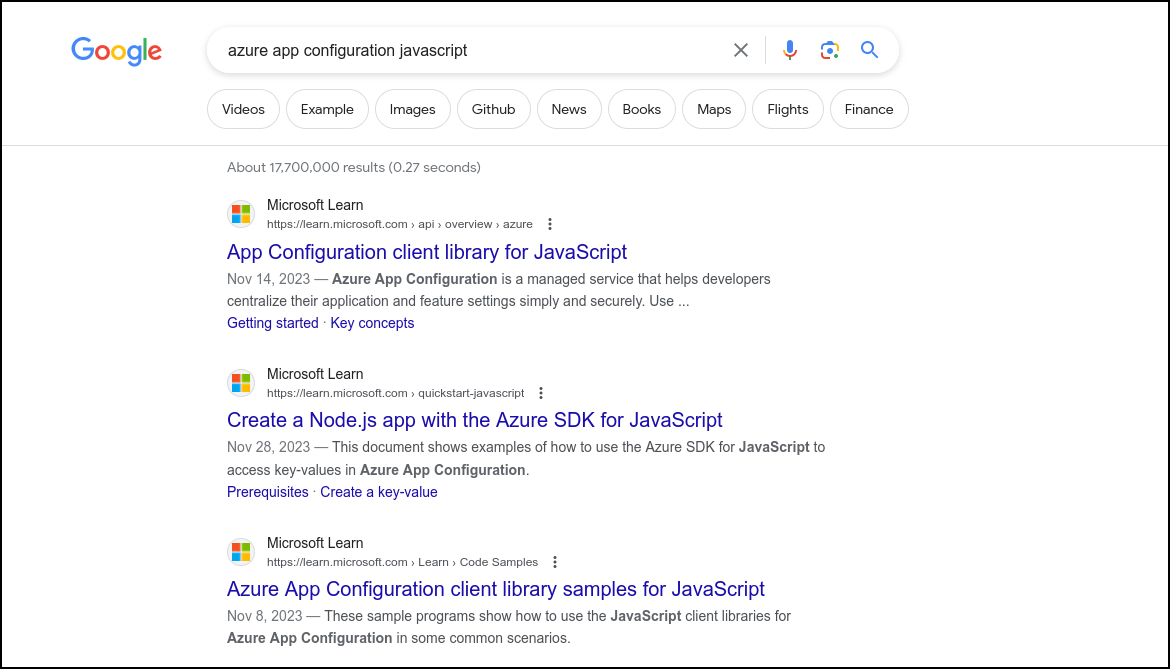
After opening first search result, the next step will be to install required packages. It can be found under Getting Started section
Next it is required to Create App Configuration resource in Azure. It can be achieved using command line but you can also easily do it through web interface on Azure portal.
Using Azure CLI:
Using Azure Portal:
Find service
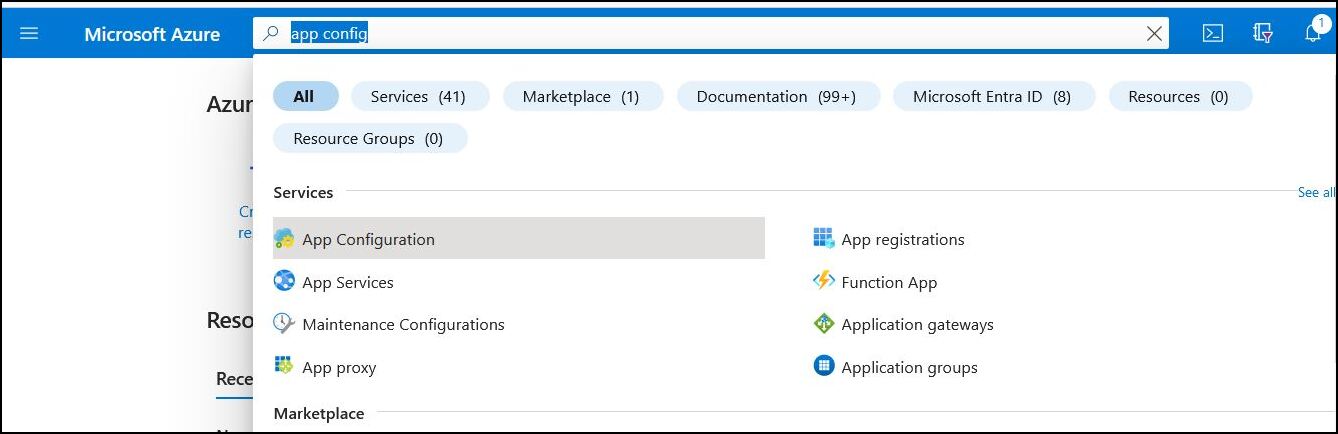
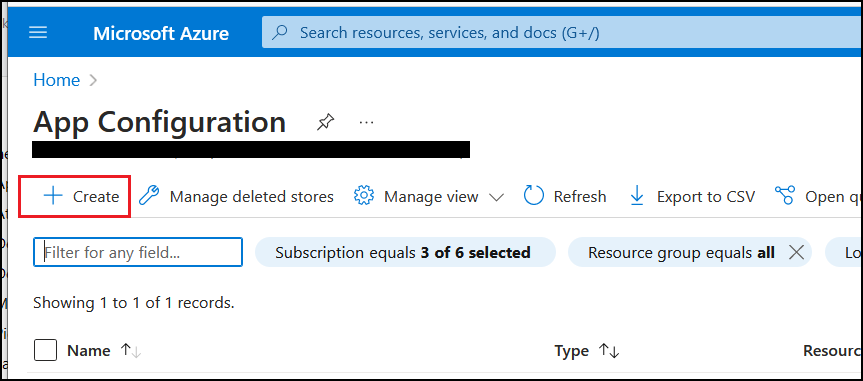
Click Create
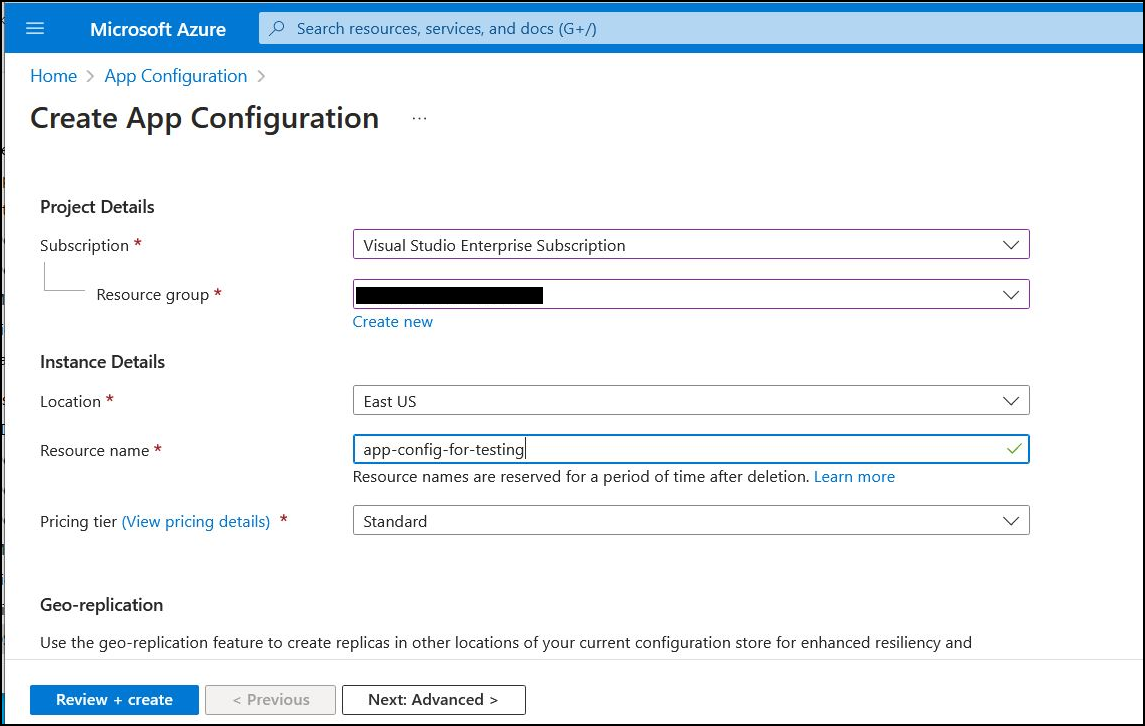
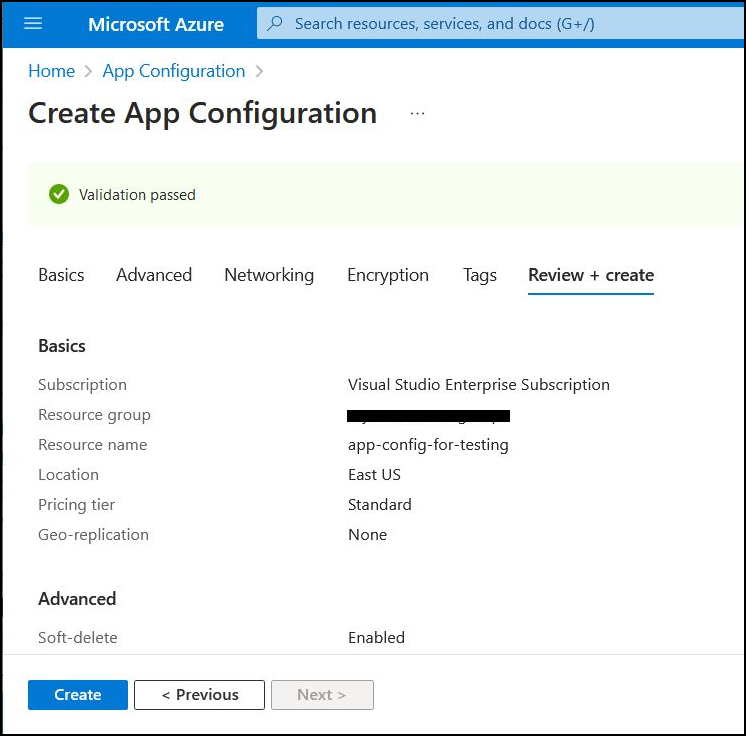
Choose Subscription, Resource Group, Name, Location and click Review+Create
In the end its required to review details and then click Create
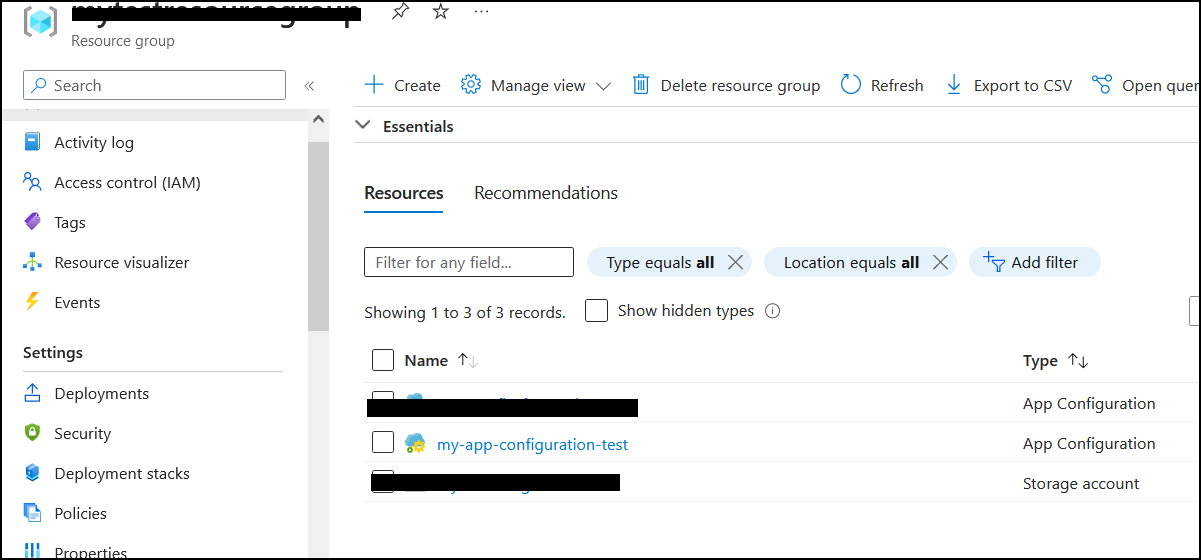
To verify if resource was created, open resource group that was chosen as target for App Configuration resource
Next section in Microsoft Guide is about Authentication. For the simplicity, authentication using Connection String will be used
Full example snippet from the guide is:
Full helloworld.ts snippet from the guide is:
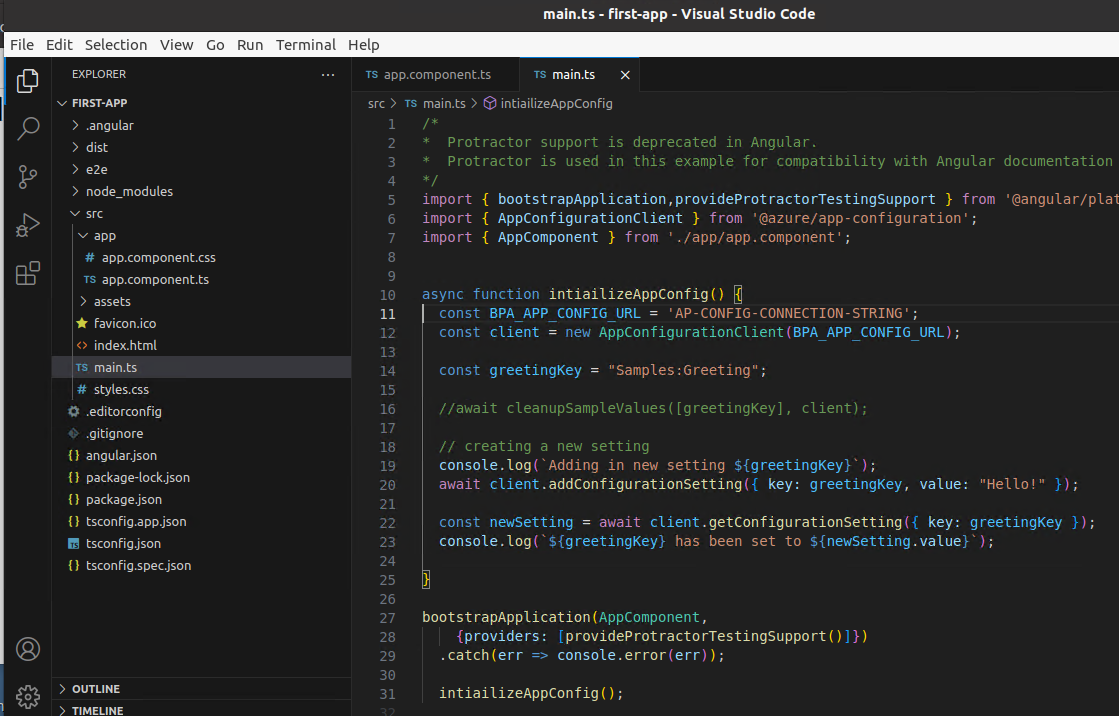
From now it's enough to copy authentication API into your own project and then it becomes possible to call CRUD operations on the app configuration resource. Following is a snippet from Angular Starting Code which can be found here: https://angular.io/tutorial/first-app/first-app-lesson-01.The initializeAppConfig() method contains logic for authentication to App Configuration resource and creation of a new key called: Samples:Greeting
Final step is to build the project and run the application. Building for production environment is done using:
To run the app locally its required to use http server to serve requests. It can be done using following command(port is chosen randomly, it can be anything as long as the port is not taken already):
Now let's check what happens when the app is run. Open following url in the browser: http://localhost:1233
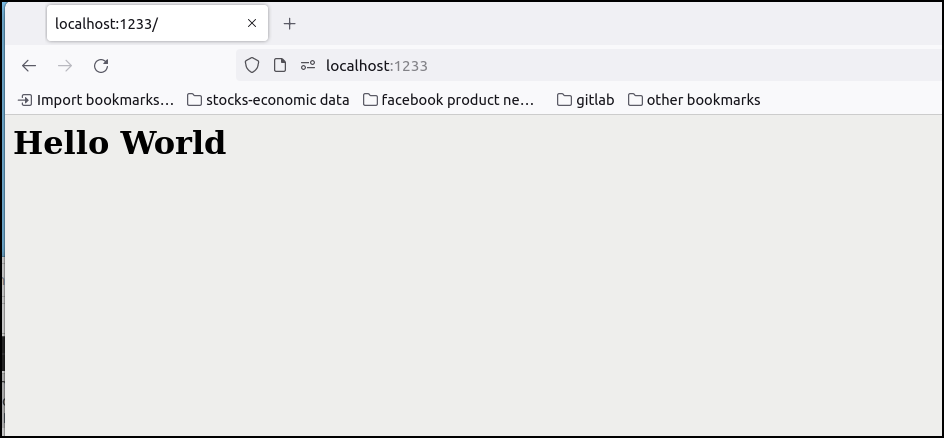
Verify if key was added
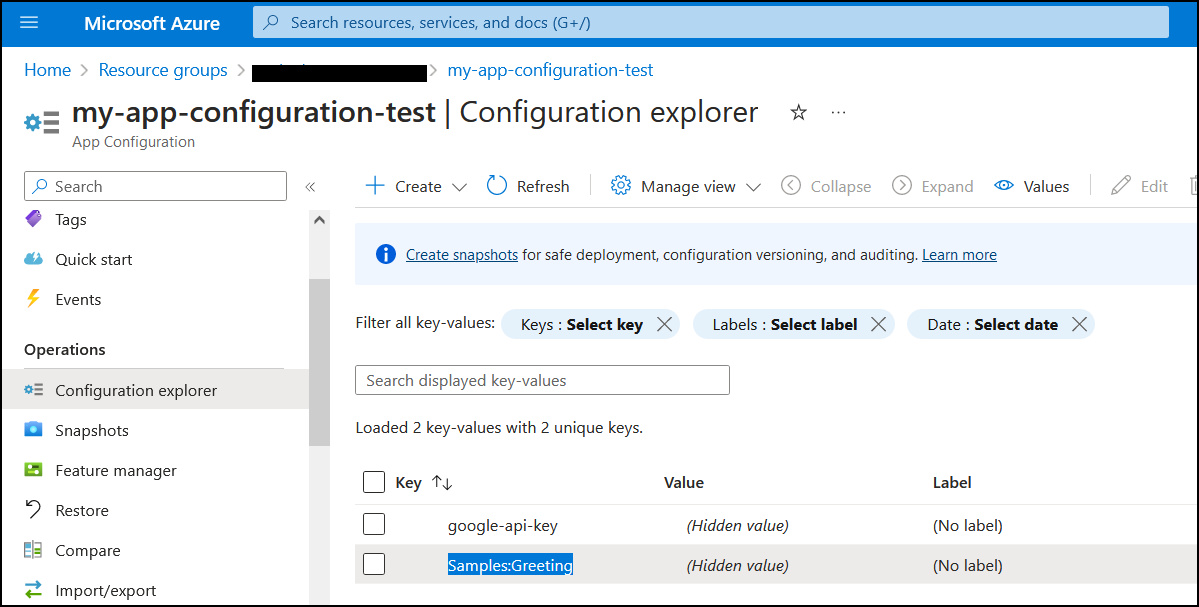
It seems that the code is perfectly fine. Integration with App Configuration resource is working and the day is sunny, and somewhere over the rainbow blue birds fly. At least they are not. Let's check what really happened. When build files were generated a file named: main-2L2YREQB.js was created. This file contains minified javascript from the angular project. As a bonus it also contains secret to the Microsoft App Configuration. This can be verified by looking for the "Secret" keyword in the file.
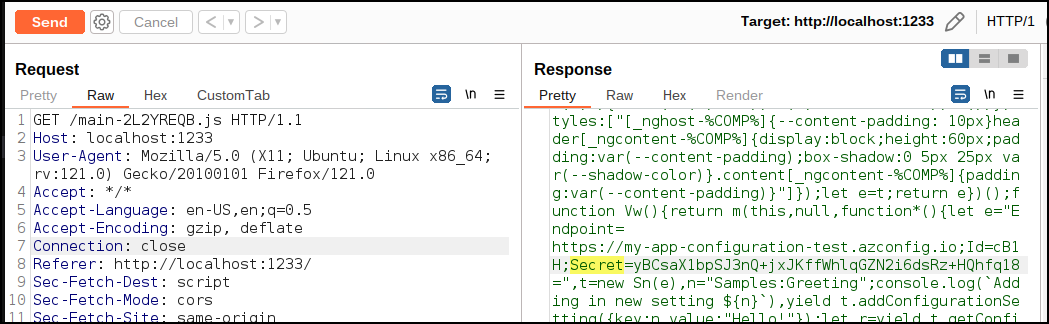
By following the guide developer unintentionally disclosed secret to the App Configuration Azure Service and attacker could make CRUD(create, read, update, delete) operations with no authentication. If developer was cautious it could be prevented. The guide itself contains flaws however. There are no warnings whatsoever that adding secrets to the client-side code will mean they will become publicly available. Code snippets for Authentication follow bad practices as well by directly assigning connection string to the variable. Effect is that similar issue was found in real world app. To prevent this from happening Authentication to the service should be performed on server-side. This way secrets will be hidden from the public.
Whats next?
In next post I will reveal if using static analysis scanners for secret detection would help finding this issue before the code was merged to the main branch.