
helloword - http_controller.rb
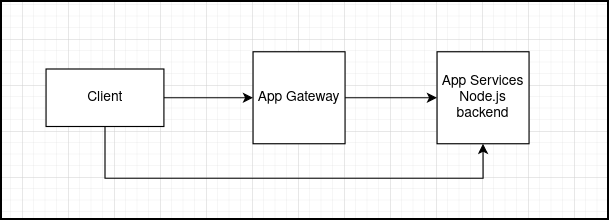
In this post I am going to discuss simple solution to the problem outlined in Simple Azure App Gateway Case. Quick recall of an issue: Application deployed to Azure App Services was supposed to be protected by Web Application Firewall. Even though WAF was in place and it was properly functioning, the Azure App Services Node.js app was still exposed so it was possible to call it directly and bypass WAF rules.
Flawed configuration allowed to make connection like:
Intented configuration
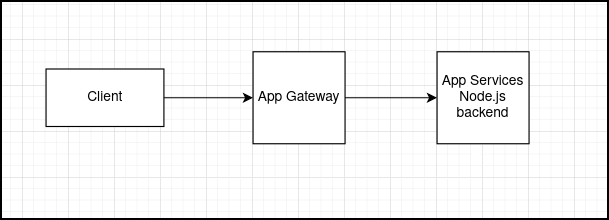
Protecting the infrastructure:
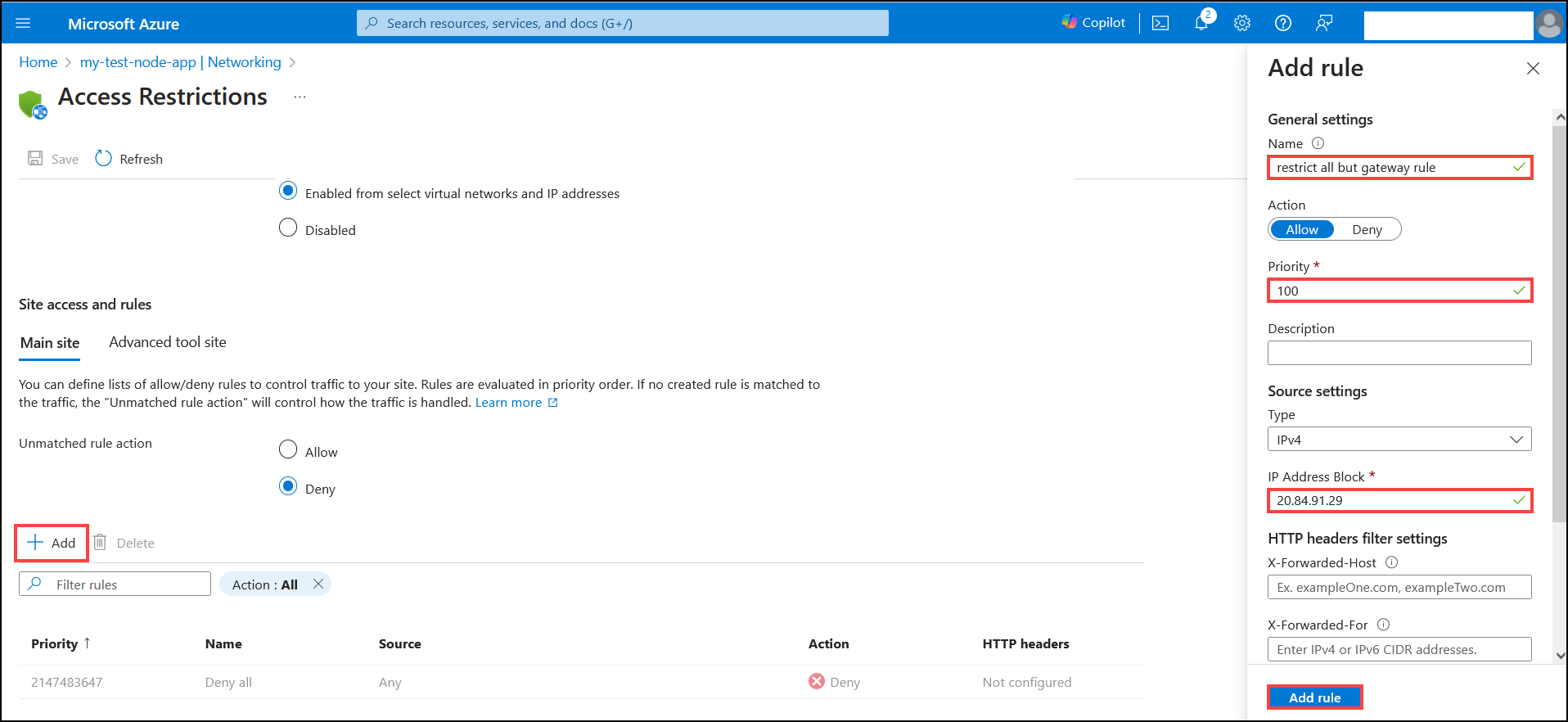
To get rid of the issue with exposed Node.js app it would be good to restrict access to the app for allowed hosts only. This can be achieved with access restriction rules for Azure App Services.
1. Open App Services resource containing Node.js app and select Networking plane and then Click on Access restrictions
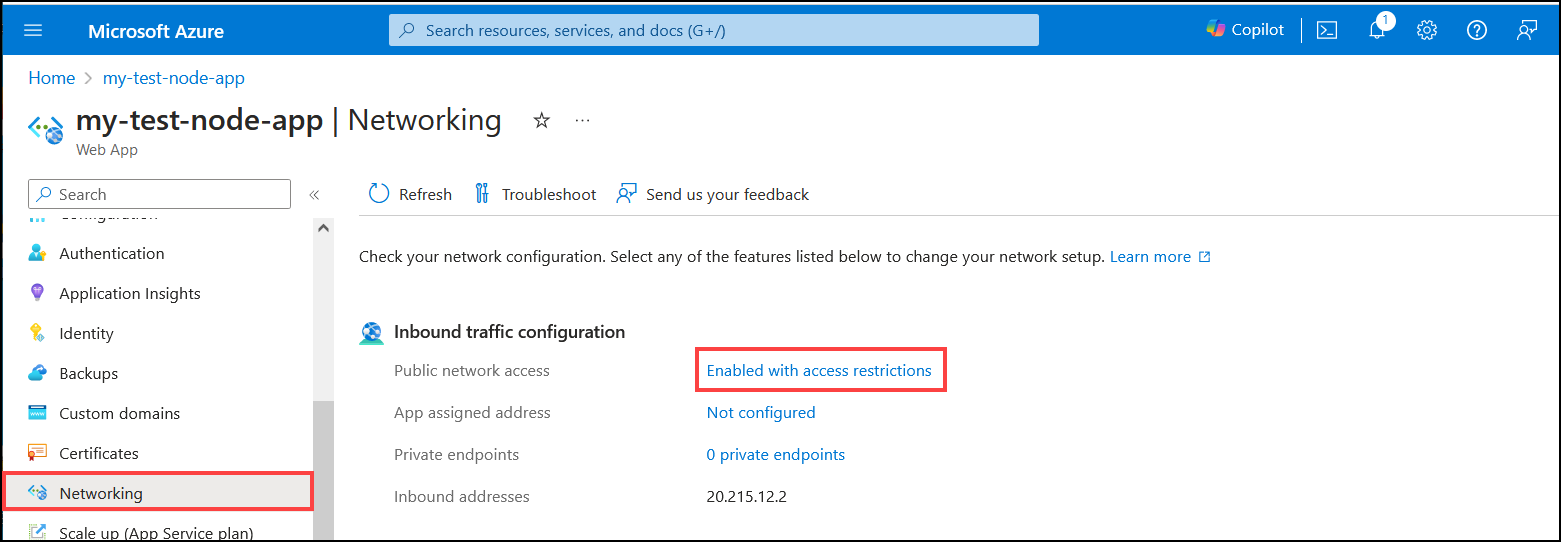
2. Select fields
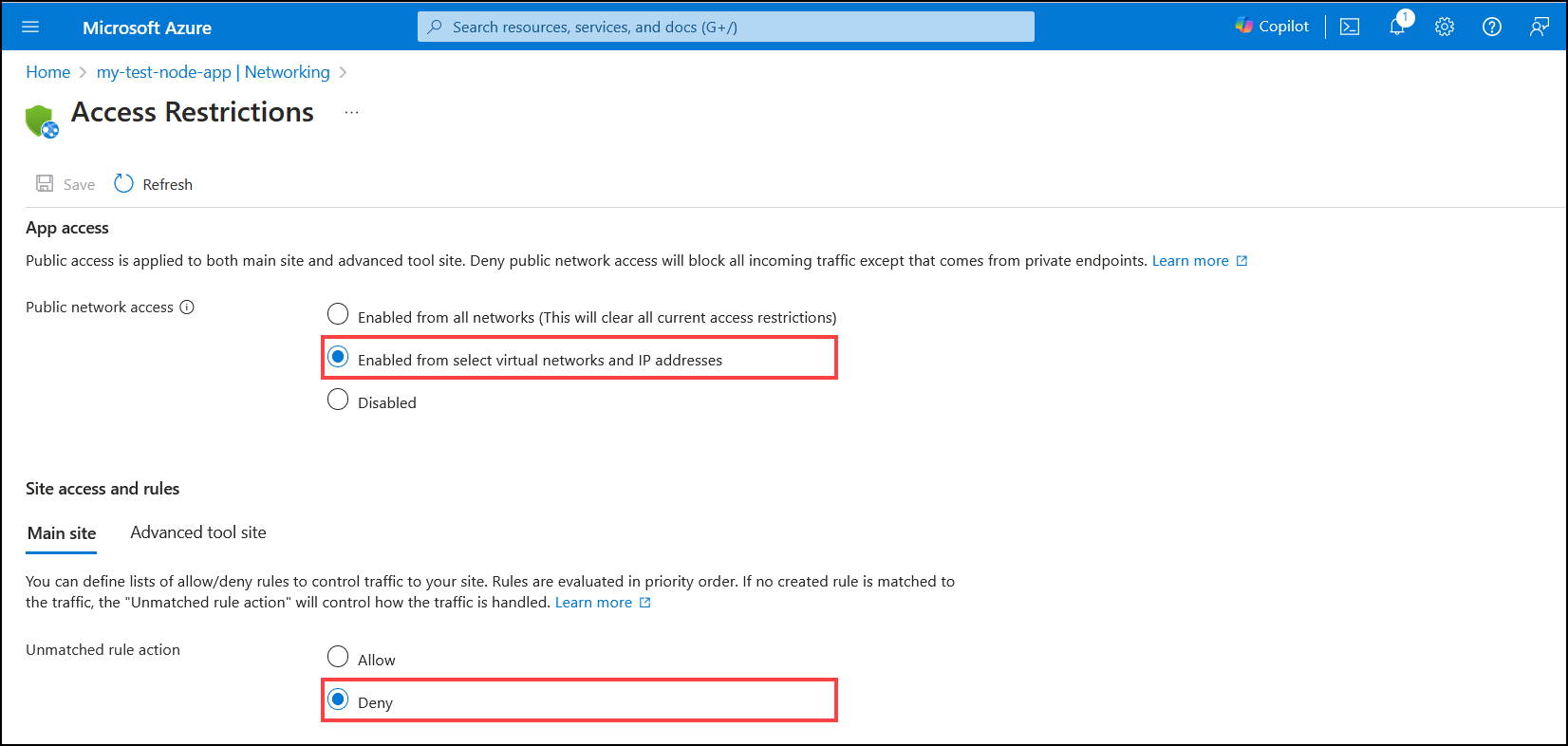
3. Click Add button and set fields and then click Add rule
Testing
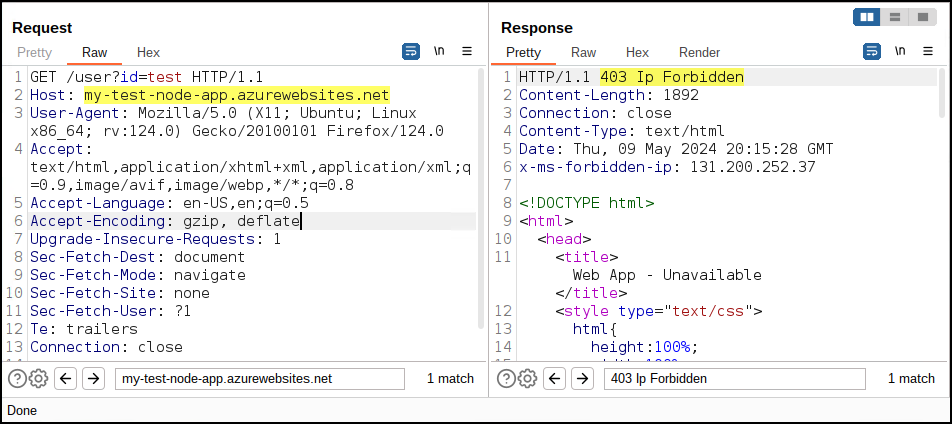
1. Direct call to Node.js app
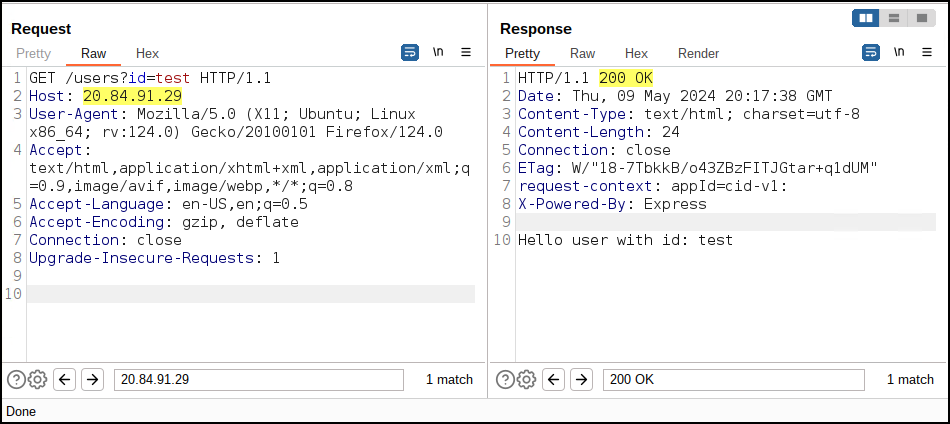
2. Call to Node.js app via App Gateway
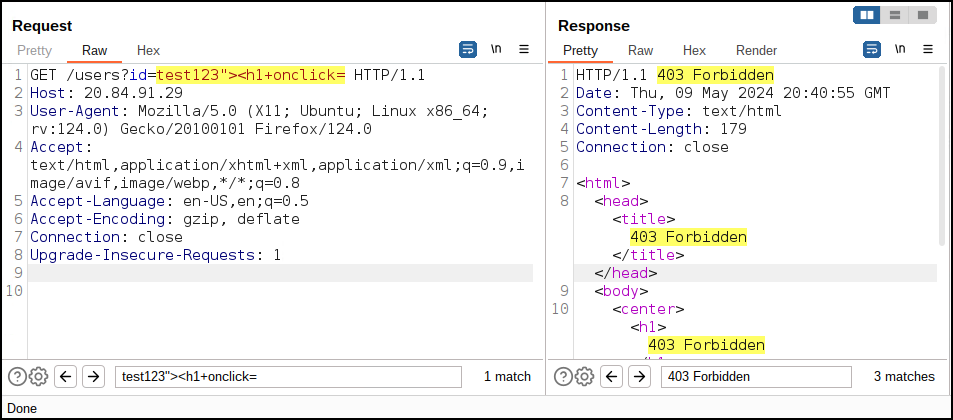
3. Call to Node.js app via App Gateway containing malicious input
Summary
It was possible to restrict access to Node.js application to specified IP ranges. This way IP address of App Gateway could be provided and attempts to access the application from different addresses would be blocked. This issue could go unnoticed during regular pentest where assesment is done in a black-box approach where tester is provided with location of an app and/or access to user. That's why its always good idea to provide the tester with information that could help finding similiar issues quicker. Assumption is that real world attackers are more skilled, more determined so if the goal is to really improve the security of an app, then sharing as much infromation about the environment with tester is a great way to prevent exploitation.