
helloword - http_controller.rb
This post is related to Microsoft Guide for App Configuration service. While post about Microsoft guide pointed out that sometimes it's possible to introduce security issue even when following official tutorials, this time objective will be to check if this error could have been detected later in the process despite developer mistake. For this purpose Gitlab along with Secret Detection will be used. The following description is from Gitlab itself:
"People sometimes accidentally commit secrets like keys or API tokens to Git repositories.After a sensitive value is pushed to a remote repository, anyone with access to the repository can impersonate the authorized user of the secret for malicious purposes.Most organizations require exposed secrets to be revoked and replaced to address this risk.
Secret Detection scans your repository to help prevent your secrets from being exposed.Secret Detection scanning works on all text files, regardless of the language or framework used." I think it's worth to add that in our case not only someone with access to the source repository can obtain the secret. Anyone with access to the application can disclose it because it's included in client-side javascript.
Configuration requirements
Gitlab CI/CD configuration can be configured manually by creating .gitlab-ci.yml file in the repository hosted on Gitlab. Secret Detection can be enabled by pasting following to the file:
Linux Gitlab Runner with docker executor is a separate program that needs to be installed to run CI/CD jobs. There are multiple variants available on Gitlab for installation like docker containers, binaries or building from source code. Separate binary will be used for the purpose of this post.
Runner configuration
In order to get access to the repository, runner needs to authenticate itself to Gitlab. It can be done with Registration token. New method is preferred currently, namely registration via Authentication Token but for the simplicity the Registration token will be used.
To register the runner with a registration token:
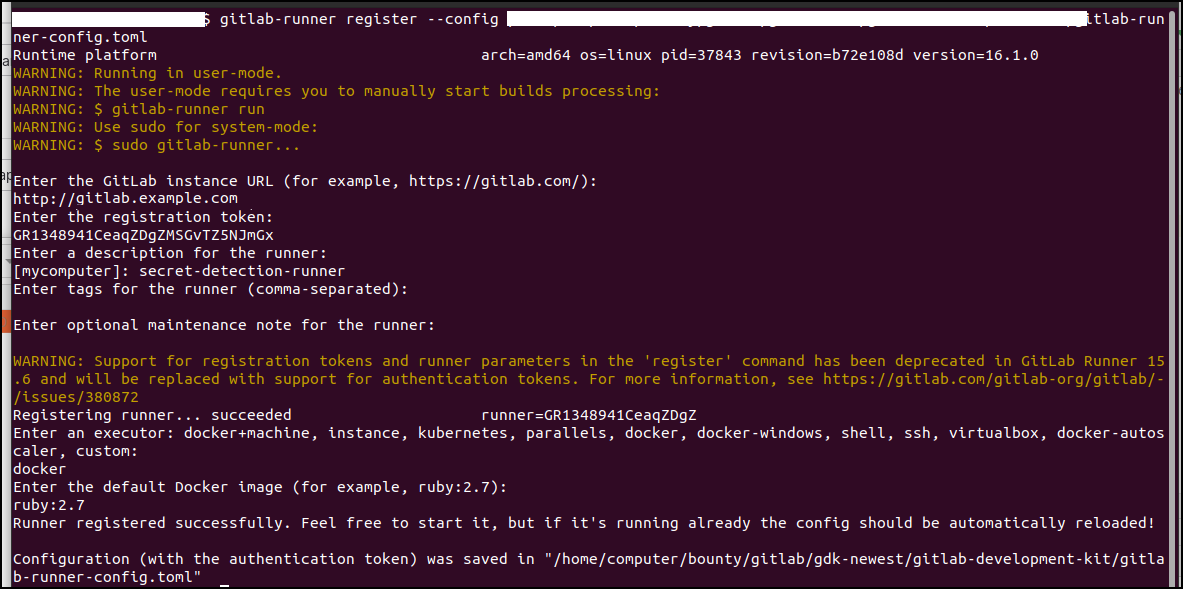
1: Run register command
2: Enter Gitlab URL. In my case it's self-managed Gitlab Instance which is hosted on gitlab.example.com
3: Enter registration token. It can be obtained from the repository under Settings -> CI/CD -> Runners
4: Enter Description
5: Enter job tags- it can be omitted
6: Enter maintenance note - it can be omitted
7: Enter executor with value docker
Runner is working inside docker container and it may be necessary also to add following entry to the configuration file so that docker can communicate with Gitlab with no obstacles:
Full gitlab-runner-config.toml:
To verify if Secret Detection is working create test file named for example: secret-test.js in the repository with following content:
To check if pipeline passed and job succeeded open Build -> Jobs and click on latest entry:
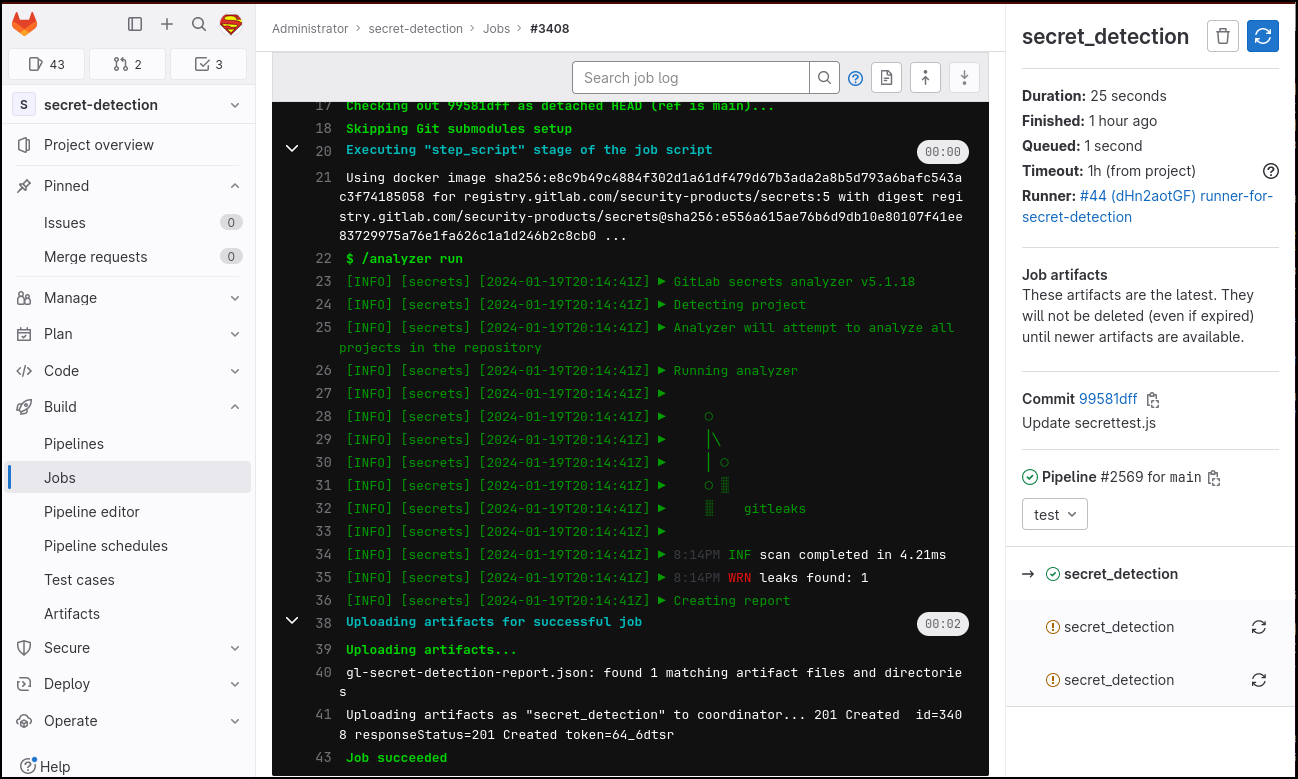
Secret Detection was successfully configured and it returned info that one leak was found. Next step is to upload code from related post Microsoft Guide for App Configuration Service to see if App Configuration key leak will be detected. To upload files to existing repository following commands were used:
Repository files:
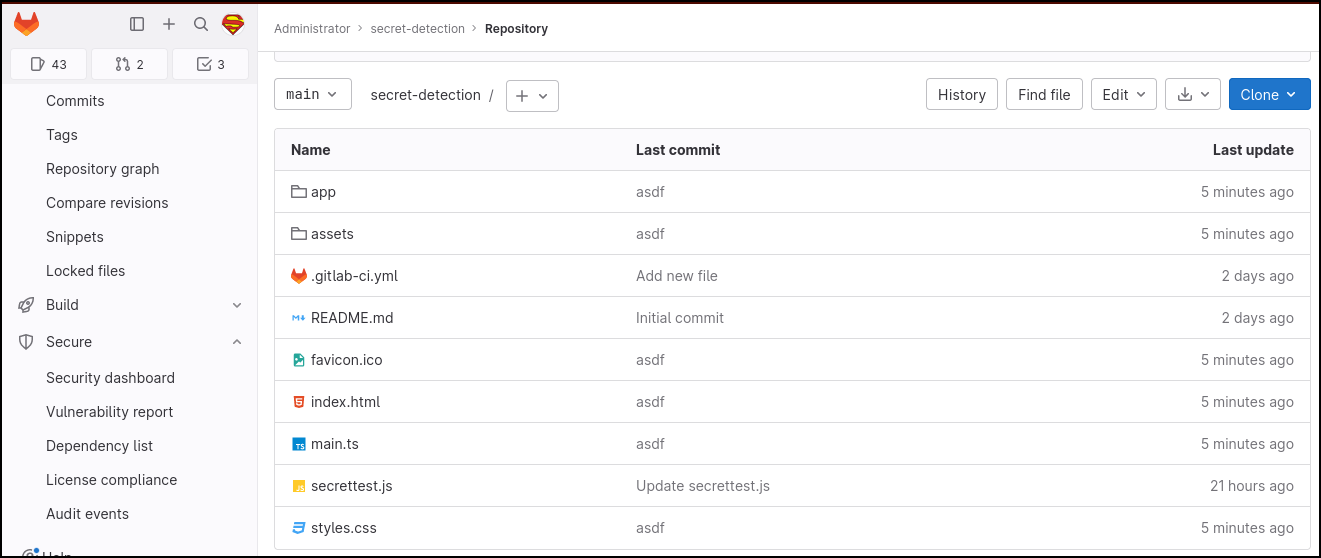
File that contains leaked secret is named main.ts
Key is leaked under following line:
Now it's time to check if Secret Detection job managed to find the key. It's required to open latest job under Build -> Jobs
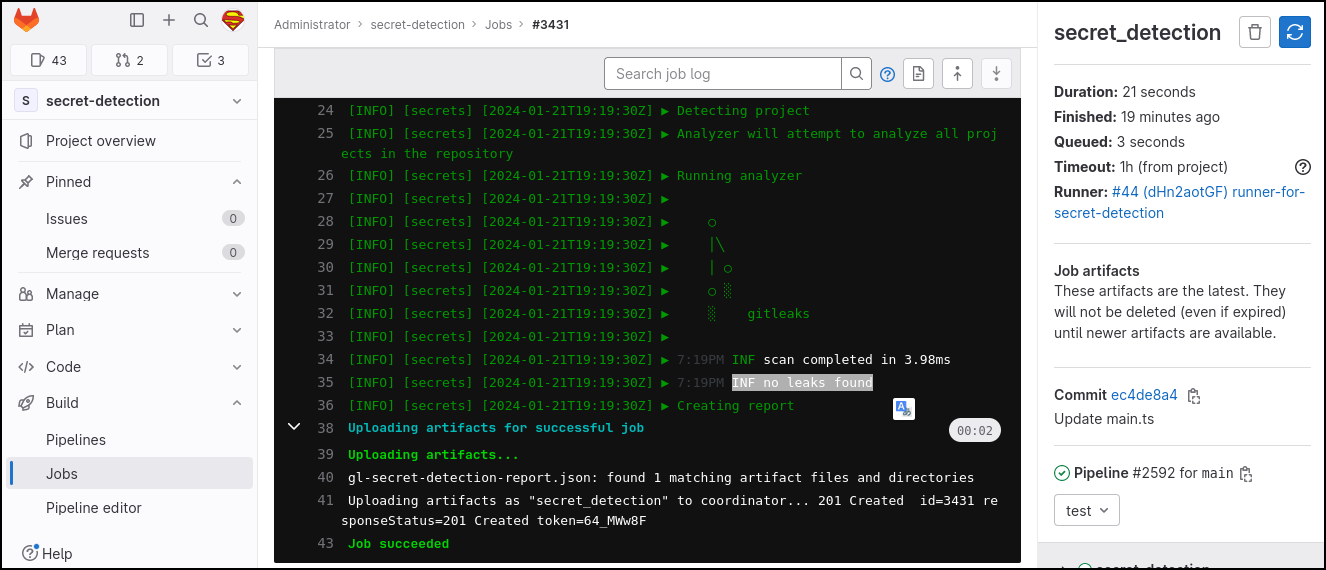
Secret Detection Job run successfully and happily responded that no leaks were found. In fact it successfully failed to alert about obvious leakage. Detection engine of gitleaks which is responsible for Secret Detection job relies on regular expression rules to check for leak. If key follows unknown format then it will slip through. While it is true that custom rules can be added this example shows that along with SAST scanning it is desired to conduct other activities during SDLC like code reviews and/or penetration tests to minimize the number of vulnerabilities.